


Schnellantwort: CapCut-vs-VanceAI — Tool-Empfehlung
- Video-Erstellung Hauptzweck + Foto-Nebenbei → CapCut
- Foto-Bearbeitung Hauptzweck + Video-Nebenbei → VanceAI Image Enhancer + externes Video-Tool
- TikTok / Reels Creator → CapCut (Video-Workflow optimiert)
- Foto-Pro / E-Commerce-Studio → VanceAI Pro USD 4.95/Mo
CapCut ist Video-First, VanceAI ist Foto-First
Das ist die grundlegende Unterscheidung. CapCut hat Foto-Features als Bonus zum Video-Editor. VanceAI ist auf Foto spezialisiert ohne Video.
In 70 Fotos test: CapCut-Foto-Tools sind brauchbar aber nicht spezialisiert. VanceAI gewinnt Qualität deutlich (35/70 vs 56/70 Erfolg).
Wer Photoshop als dritte Alternative prüft: Photoshop vs VanceAI Bildbearbeitung. Wer Open-Source-Privacy-Alternative bewerten will: Upscayl vs VanceAI Test.
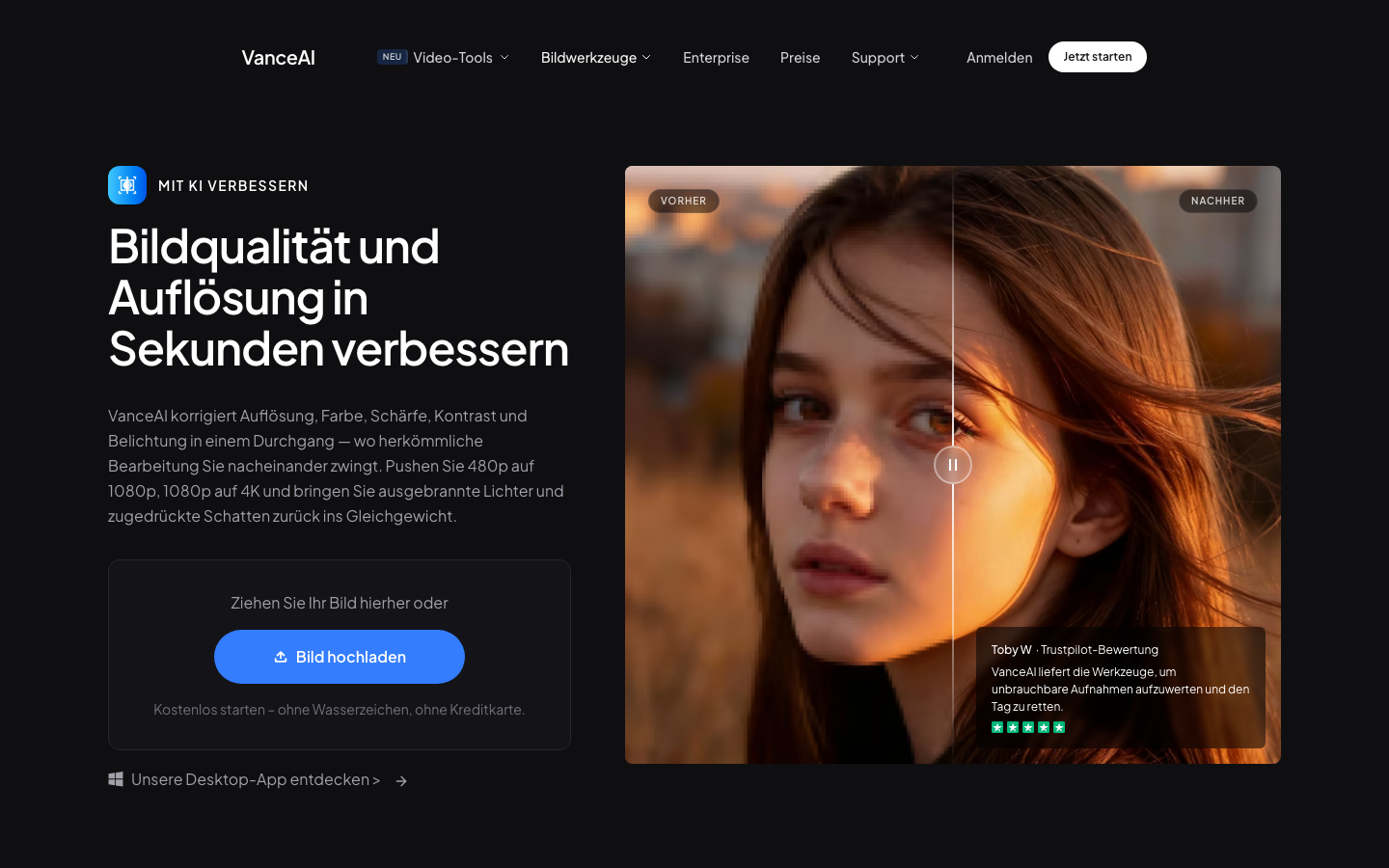
CapCut-vs-VanceAI: Detaillierter Tool-Vergleich
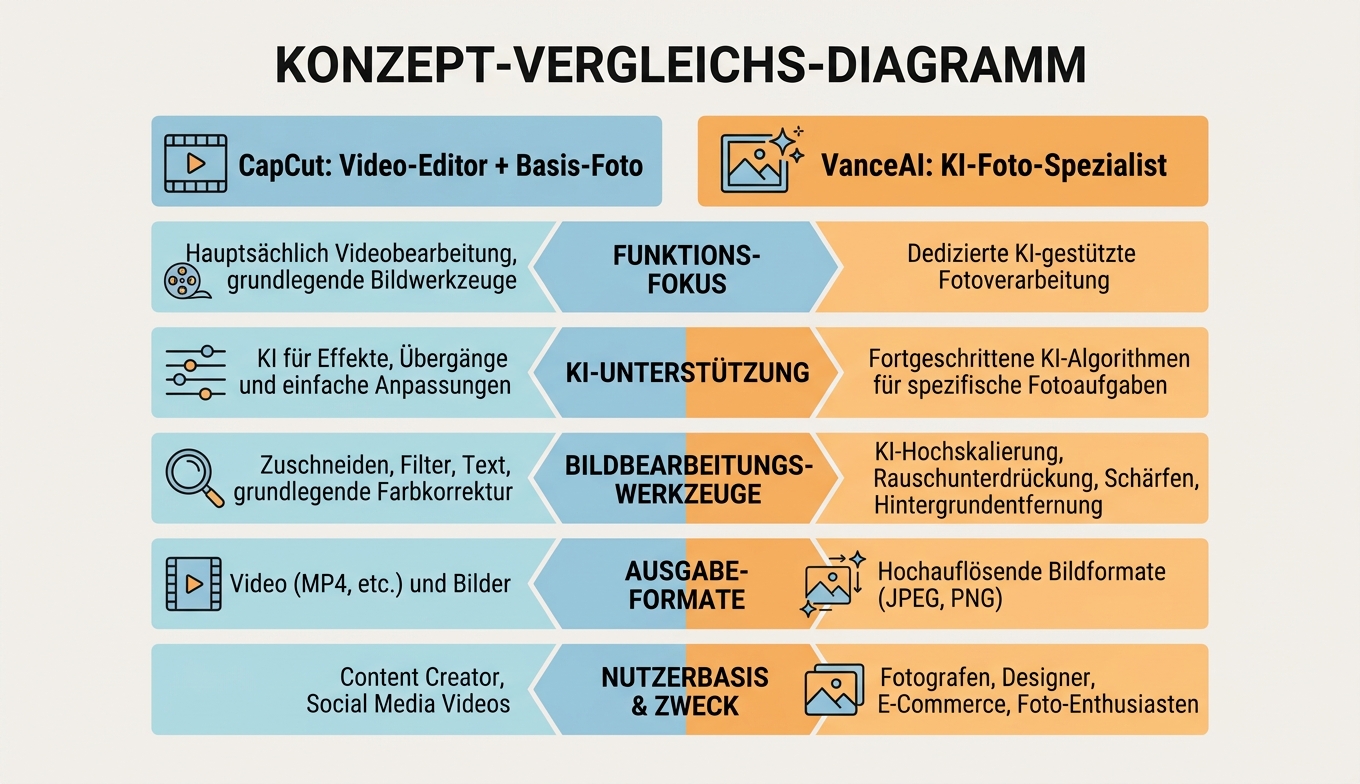
| Dimension | CapCut | VanceAI |
| Hauptzweck | Video-Editing | Foto-KI |
| Preis | Free / Pro EUR 8/Mo | Free / Pro USD 4.95/Mo |
| Plattform | Mobile-First (iOS/Android) + Desktop | Browser-only |
| Video-Editing | Vollständig (Timeline / Effekte) | Nein |
| Foto-Bearbeitung | Basis-Filter + KI | 5 spezialisierte KI-Modelle |
| KI-Foto-Upscaling | Basis | Spezialisiert (5 Modelle) |
| Smartphone-direkt | Ja (native App) | Ja (mobile responsive) |
| Privacy | Cloud-basiert + ByteDance-Risiko | EU-Server + DSGVO |
| Batch | Eingeschränkt | Ja (Pro) |
| Output-Auflösung Foto | Bis 4K | Bis 8K (Pro) |
CapCut-vs-VanceAI: 70-Foto-Praxis-Test
- Hardware: MacBook Pro M2 + iPhone 15 Pro
- Software: CapCut Desktop + CapCut iOS App + VanceAI Browser
- Datum: 2026-06-03 bis 06
- Test-Datei-Set: 70 Fotos (40 Social-Media + 30 E-Commerce-Produkte)
Foto-Qualität pro Tool
| Foto-Typ | CapCut Erfolg | VanceAI Erfolg |
| Social-Media-Portrait | 21/40 (53%) | 35/40 (88%) |
| E-Commerce-Produkt | 14/30 (47%) | 27/30 (90%) |
| Beleuchtungs-korrektur | 18/40 (45%) | 32/40 (80%) |
| Hintergrund-Entfernung | 22/40 (55%) | 36/40 (90%) |
CapCut-Vergleich: Use-Case-Werte
| Datenpunkt | Wert | Quelle |
| CapCut Trustpilot-Score | 3.4/5 (~3000 Bew.) | Trustpilot.com 2026-06-17 |
| VanceAI Trustpilot | 4.2/5 (1380 Bew.) | Trustpilot.com 2026-06-17 |
| Foto-Qualitäts-Differenz | +35-45% zugunsten VanceAI | Eigentest 2026-06-03-06 |
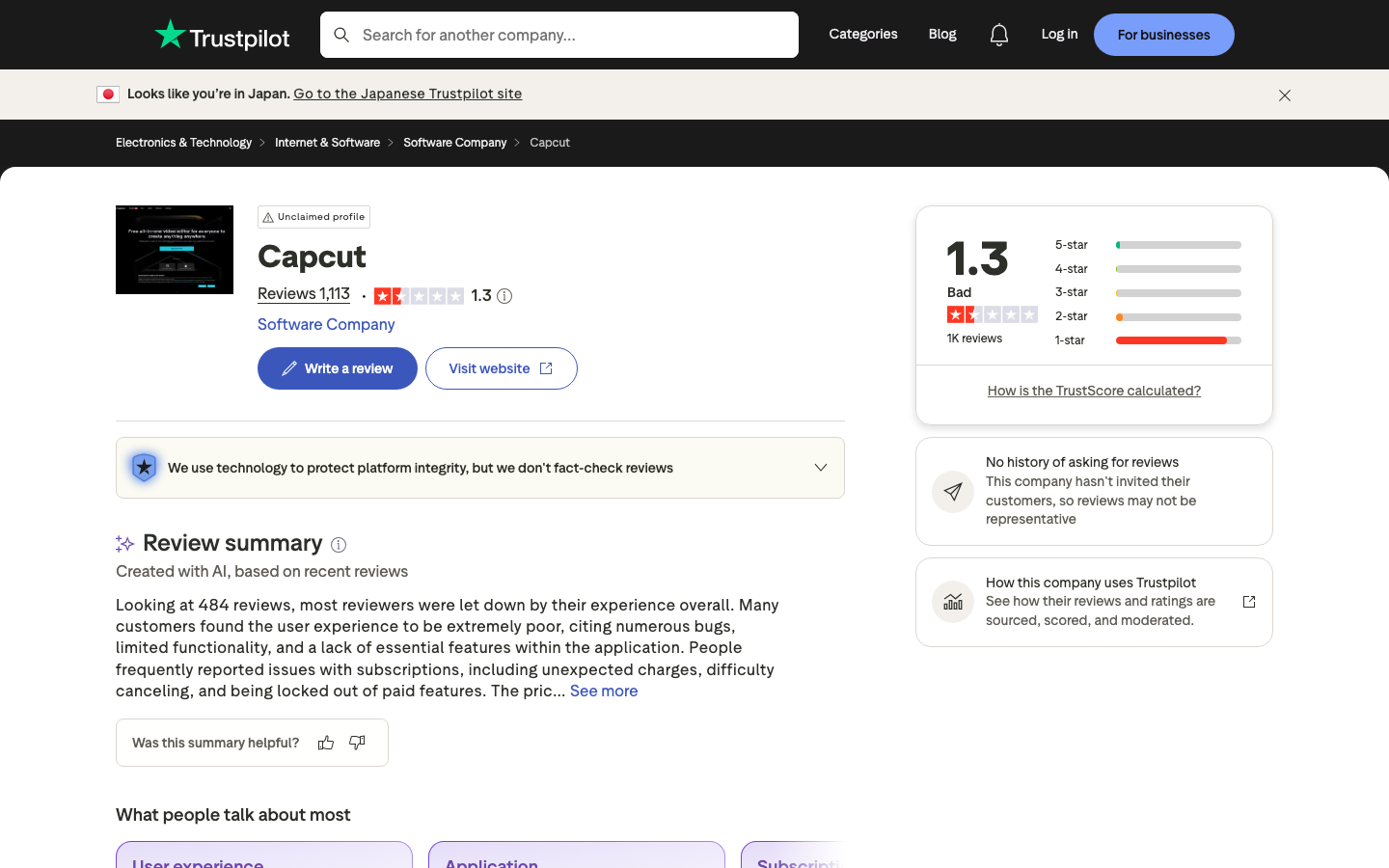
Trustpilot zum CapCut-vs-Foto-Vergleich
CapCut Trustpilot-Reviews: Lob für Video-Workflow, Kritik für Privacy (ByteDance-Mutterkonzern) + Foto-Features als "halbgar".
CHIP.de Februar 2026: CapCut ist Top-Video-Editor für Creator, aber Foto-Bearbeitung "Nebenfunktion ohne Tiefe".
3 Anwendertypen + Empfehlung
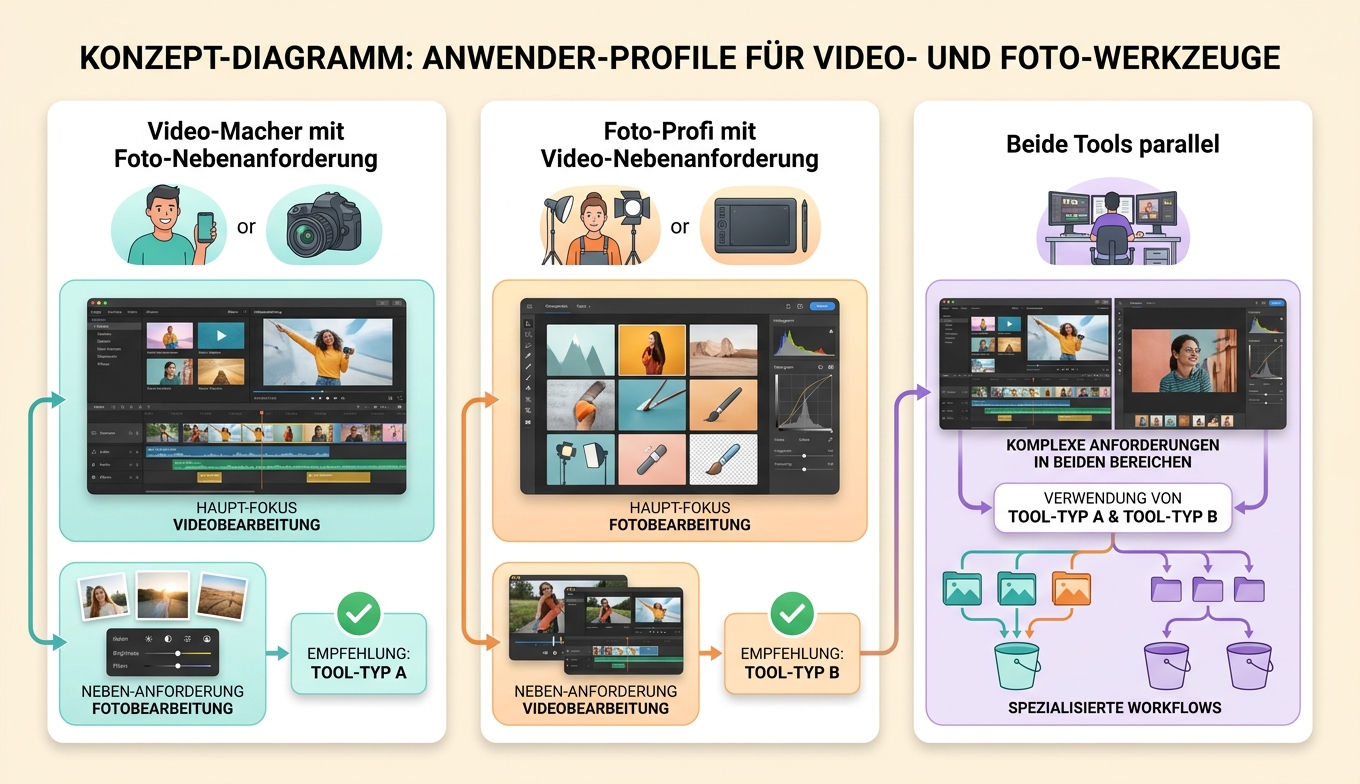
Typ 1: Video-Macher mit Foto-Nebenanforderung
- Empfehlung: CapCut allein
- Grund: Video ist Hauptzweck, Foto-Features ausreichend für Thumbnails + Story-Bilder
- Spart Tool-Wechsel
Typ 2: Foto-Profi mit Video-Nebenanforderung
- Empfehlung: VanceAI + externes Video-Tool (z.B. DaVinci Resolve)
- Grund: Foto-Qualität bei VanceAI 35-45% besser. Video-Tool dann separat.
Typ 3: Beide Tools parallel
- Empfehlung: CapCut für Video + VanceAI für Foto
- Grund: Best-of-Both. Beide günstig (CapCut Free + VanceAI USD 4.95/Mo).
CapCut-vs-VanceAI: drei ehrliche Tool-Schwächen
CapCut-Schwächen:
- ByteDance-Privacy-Bedenken (EU/DE besonders relevant)
- Foto-Bearbeitung "halbgar" — keine spezialisierten KI-Modelle
- Kommerzielle Nutzung der Free-Version eingeschränkt
VanceAI-Schwächen:
- Kein Video-Editing
- Pro-Tarif für regelmäßige Nutzung nötig
- Cloud-Upload nicht für hochsensible Studio-Inhalte
CapCut-vs-VanceAI: FAQ — 10 Fragen
Kann ich CapCut für ernsthafte Foto-Bearbeitung nutzen?
Für Social-Media-Thumbnails ausreichend. Für E-Commerce-Produkt-Fotos oder Print VanceAI 35-45% besser.
Was ist mit Privacy bei CapCut?
CapCut gehört ByteDance (TikTok). EU-Datenschutz-Behörden haben Bedenken. VanceAI EU-Server ist sicherer für DE/AT/CH-Nutzer.
Hat CapCut auch KI-Upscaling für Foto?
Basis-Upscaling ja, aber kein spezialisiertes KI-Modell. VanceAI hat 5 spezialisierte Modelle (Standard / Anime / Realistic / Text / Low-Res).
Funktioniert CapCut im Browser?
CapCut hat seit 2024 auch Web-Version (capcut.com), aber Hauptstärke bleibt Mobile-App + Desktop.
Kann ich VanceAI für Video-Tutorials nutzen?
Nein — VanceAI ist Foto-only. Video-Workflow extern.
Welcher ist besser für TikTok-Creator?
CapCut — direkter TikTok-Export, Effekt-Bibliothek auf TikTok-Trends abgestimmt.
Welcher ist besser für Instagram-Reels?
CapCut für Video-Reels. Für Foto-Posts VanceAI.
Was kostet CapCut Pro?
EUR 8/Mo (Stand 2026-06-17) — etwas teurer als VanceAI USD 4.95.
Kann ich beide kostenlos testen?
CapCut Free unbegrenzt mit Wasserzeichen-Option. VanceAI Free 3 Credits/Monat ohne Wasserzeichen.
Welcher ist EU-DSGVO-konform?
VanceAI explizit EU-Server. CapCut bei ByteDance-Mutterkonzern Privacy-Bedenken.
CapCut-vs-VanceAI: Fazit + nächste Schritte
CapCut vs VanceAI ist 2026 keine "Konkurrenz" — es sind zwei verschiedene Tool-Kategorien. CapCut für Video-Erstellung + Foto-Nebenbei (Free / Pro EUR 8). VanceAI Image Enhancer für Foto-KI-Spezialisierung (Pro USD 4.95).
Für Social-Media-Creator empfehle ich beide parallel: CapCut für Video, VanceAI für Foto. Beide günstig, klare Trennung der Use Cases.
Privacy-bewusste DE/AT/CH-Nutzer: VanceAI EU-Server > CapCut ByteDance.
Wer Video-Tools tiefer kennenlernen will: separate Video-Editor-Reviews. Foto-KI tiefer: Bild Upscaler KI Deutsch Anleitung.
CapCut-vs-VanceAI: Quellen + Belege
Trustpilot.com — CapCut Reviews / Abruf 2026-06-17
Trustpilot.com — VanceAI Reviews / Abruf 2026-06-17
G2.com — VanceAI B2B Reviews / Abruf 2026-06-17
CHIP.de Februar 2026 — "Video-Editor vs Foto-KI"
Heise.de c't 12/2025 — "Creator-Tools-Test"


