A hands-on 2026 review of the 10 best old photo archive websites — Calisphere, Europeana, DPLA, NYPL, Shorpy, Flickr — compared on access, resolution, metadata, and AI restoration support, plus 10 FAQs on storage, licensing, and ancestry research.

What Makes a Great Old Photo Archive Site in 2026?
Ease of Search and Download
The best old photo archives let you jump from a vague idea ("1920s immigrant family, New York") to a high-resolution image in seconds. The intuitive ones — Calisphere, NYPL Digital Collections — pair smart search suggestions with category browsing and one-click downloads on full-size files. Sign-up gates and confusing filters are the fastest way for a research session to stall.
For educators and project leads, batch-download support is a deciding factor. A handful of sites also support saved search alerts, so a newly digitized collection surfaces automatically without manual revisits.
Image Quality and Metadata
Resolution matters — no one wants a postage-stamp JPEG when chasing ancestors or sourcing background plates for a documentary. The top sites serve crisp scans at see-the-thread-detail level and pack each image with metadata: photographer, place, date, original format, and copyright notes. Library of Congress, Shorpy, and Europeana all earn marks here for telling you who, where, and why, not just what.
Sometimes the story is in the details the photo almost hides. The right metadata brings it into focus, and a face or a building suddenly takes on new significance — a street name, an inscription in the notes, the original photographer's commercial card. For heavily damaged scans, an AI restoration pass clarifies what the metadata is referring to before you research further.
The Best 10 Old Photo Archive Websites: Hands-On Comparison
| Archive | Free Access | Hi-Res Download | Strong Metadata | AI Restoration | Special Feature |
|---|---|---|---|---|---|
| Shorpy.com | Yes (free account for full-res) | Yes (account) | Yes | No | Vintage glass negatives |
| Calisphere | Yes | Yes | Yes | No | California-wide collaboration |
| Europeana | Yes | Yes | Yes | No | Pan-European scope |
| National Archives Catalog (US) | Yes | Yes | Good | No | Government records |
| Digital Public Library of America (DPLA) | Yes | Yes | Yes | No | Aggregates US collections |
| BYU Library | Yes | Limited | Partial | No | Family-history focus |
| Iconic Images | Partial | Paid | Yes | No | Celebrity and press archives |
| National Library of Scotland | Partial | Partial | Yes | No | Scottish history highlight |
| Flickr | Limited (sometimes free) | Yes (creator-set) | User-tagged | No | Community sharing |
| NYPL Digital Collections | Yes | Yes | Yes | No | NYC focus, open domain |
Some sites require free registration for the highest-resolution downloads.
Free and Public Domain Archives
Start with the truly free, public-spirited photo archives: Calisphere, Europeana, the National Archives Catalog, the Digital Public Library of America (DPLA), and NYPL Digital Collections. These five sites open up millions of images, from 19th-century immigrant portraits to rare city maps. No paywalls, no extra hoops — search, click, download.
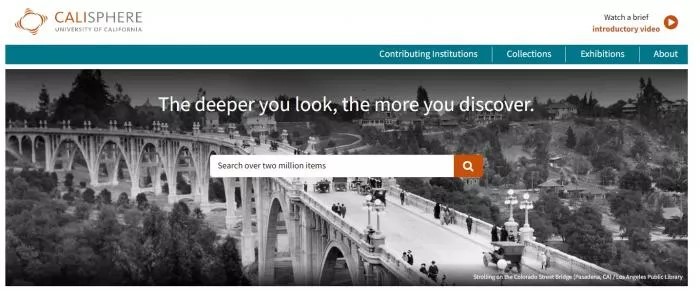
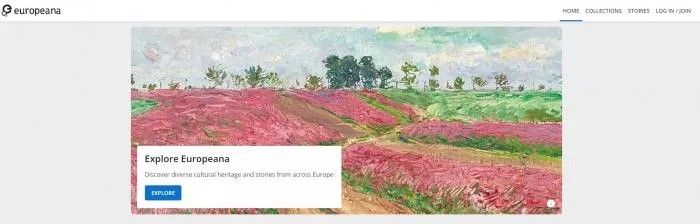
The depth is what stands out. Looking for early Los Angeles streetscapes? Civil War letters? Scottish villages from the 1890s? They are all there, usually presented with context-rich notes and full metadata. NYPL even encourages creative re-use, which is a blessing for educators and artists building period-accurate projects.
The biggest emotional payoff: stumbling across a direct ancestor's school photo digitized online. Many users report this as the single moment that hooks them on digital archiving.
Popular Community and Pro Platforms
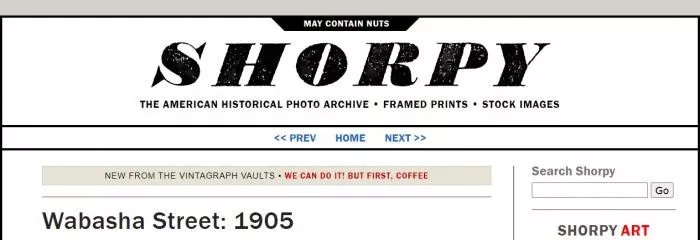
Sites like Shorpy and Flickr cater to nostalgic browsers and creative sharers alike. Shorpy specializes in ultra-high-resolution scans — a time machine built for photo geeks. You may need a free account to download the best versions, but the quality is undeniable.
Flickr is its own category. It hosts family snapshots, museum uploads, and rare historical finds in one feed, but the search is only as good as each user's labeling. Several private groups curate outstanding historic collections. If you upload, you can store and sort your own family scans for free — power users benefit from a paid plan.
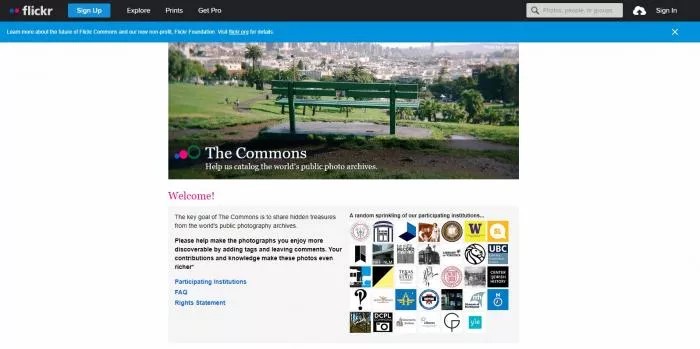
For obscure topics (1930s regional festivals, niche industrial photography), Flickr's user-curated albums often surface material the institutional archives miss. Geotags and crowdsourced newspaper clippings can turn a single image into a fully contextualized find.
Visual Walkthrough: Site Interfaces
It is not just what you find — it is how you find it. Europeana and NYPL both stand out for intuitive layouts and image galleries that load quickly even on a weak Wi-Fi connection. Calisphere's homepage updates with featured collections, and Europeana's multilingual interface dramatically lowers the barrier for non-English researchers.
Clear onboarding hints, well-placed download and licensing controls, and clean filter chips are the recurring strengths of the top five. The best archives do not just preserve history — they invite you to participate in it.
Free and AI-Powered Solutions for Old Photo Restoration
Top Free Online Restoration Tools
Most old photos come with scratches, creases, or a stubborn sepia haze. Free online restoration tools handle these in a few clicks without any Photoshop skills. Hotpot.ai and MyHeritage's free trial both clean up blemishes and restore faded faces; results vary by source image but are typically much better than the original scan.
Not all AI restoration tools are equal. Some sites add watermarks or limit image size unless you pay. Others — including VanceAI — are surprisingly generous with their free features. For experimental work, try a few tools side-by-side because each model "remembers" details differently. Results range from subtly improved to dramatically vivid.
How Well Does VanceAI Perform?
When it comes to AI-powered old photo restoration, VanceAI stands out, especially for anyone working with batches of photos or hoping for realistic, not plastic-looking, results. The interface is smooth and modern — drag, drop, and hit Restore. No tedious sign-ups for basic fixes, and the free trial goes easy on watermarks.
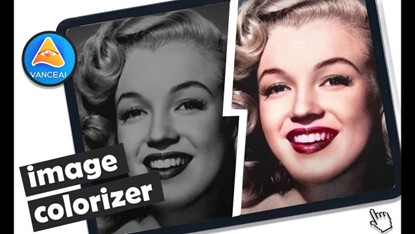
A battered 1925 street photo of Brooklyn, for example, comes back with restored faces, lamplights, and storefront lettering with impressive subtlety. The model does not erase every flaw, which often makes the result feel authentic instead of over-polished. VanceAI also supports stacked workflows — restore, then colorize, then upscale — in the same browser session.
Safety, Privacy, and Tips: Protecting Your Digital Heritage
Site Security and User Privacy
Storing and restoring old photos online is rewarding — until you start worrying about privacy. Major archives (DPLA, Europeana, NYPL) take data security seriously, limit personal data collection, and clearly label public-domain versus restricted images. For user-generated sites like Flickr, double-check privacy settings before uploading family treasures or rare images.
Use reputable sites with transparent terms, and avoid sharing sensitive photos on platforms you do not recognize. When it comes to family history, slightly paranoid is the right setting.
Best Practices for Long-Term Storage
Digital archiving is not just about finding or fixing photos — it is about keeping them safe long-term. Store high-resolution copies offline (external drives, USBs) in addition to using museum or cloud libraries. Add clear filenames, tag metadata, and download "preservation" versions where the platform offers them rather than just display JPEGs.
Combining robust online archives with personal backups means your family or project's visual history will still be around for future generations to revisit. Be your own digital archivist.
Frequently Asked Questions
What's the best free old photo storage site for beginners?
Calisphere and the Digital Public Library of America (DPLA) are the easiest starting points. Both are intuitive, require no sign-up, and offer huge free archives. NYPL Digital Collections is the strongest pick if your research focuses on New York City.
Can I use AI to restore photos for free without watermarks?
Many tools place watermarks, but VanceAI's free trial is generous and Hotpot.ai is worth testing for low-volume work. For watermark-free output at scale, a paid plan on VanceAI's credits-based model (Starter $9.95 / 100 credits per month) is the most flexible option.
Is online photo storage safe?
Major archives are safe and transparent. Double-check community platforms — review their privacy policies, default visibility settings, and licensing terms before uploading. Only share images you're comfortable making public.
Which old photo archive has the largest collection?
The Digital Public Library of America (DPLA) aggregates collections from across the United States and offers one of the largest unified searches. Europeana is the European equivalent. For specialty content, individual institutions (Library of Congress, NYPL) often have deeper subject-specific catalogs.
How do I download high-resolution images from these archives?
Most major archives — Calisphere, DPLA, NYPL, Europeana — let you download the highest available resolution with a single click on the image page. Shorpy requires a free account for the full-resolution version. Iconic Images is paid for hi-res use. Always check the licensing terms for commercial use.
Can I find photos of my ancestors on these sites?
Yes, especially through institution-specific archives. BYU Library has a strong family-history focus. National Archives Catalog (US) is essential for genealogy because it holds census-era photographs and government immigration records. Search by surname plus a region or year for the best results.
How do I restore an old photo I downloaded from an archive?
Save the highest-resolution version available, then upload it to VanceAI Photo Restorer in your browser. Choose Restore for scratches and fading; stack a denoise pass for heavy grain. For black-and-white archive photos, the Colorize mode adds period-accurate color while preserving original detail.
Do these archives include color photographs as well as black-and-white?
Yes. Color archives are abundant from the mid-20th century onward. Library of Congress and Europeana both have dedicated color collections from the 1930s and 1940s (autochrome, Kodachrome). Earlier color content is rarer but does exist in commercial press archives like Iconic Images.
Can I use archive photos for a commercial project?
It depends on the license. Public-domain archives (NYPL Open Access, Europeana public-domain collections) explicitly allow commercial reuse. Iconic Images is paid for commercial licensing. Always read the licensing line on the image page — most archives label each image clearly.
How do I store and back up downloaded archive photos?
Use a three-copy backup: one on your computer, one on an external drive, one in cloud storage. Use TIFF or PNG for preservation copies (lossless), JPG only for sharing copies. Tag each file with the archive name, original photographer (when known), and download date for future reference.
Bringing the Past into the Present
There has never been an easier moment to explore, store, and restore old photographs. Prioritize archive sites with rich metadata, easy search, and clear privacy policies. Pair the archives with AI restoration tools — a single fixed family photo can make a memory come alive in ways the original scratched scan never could.