
Why a Dedicated Historical Photo Viewer Beats a Generic Image App
When you want to take a trip down memory lane—or trace how a landscape, neighbourhood, or family location has changed over decades—a historical photo viewer is the right tool. It pairs date-stamped imagery with an interactive map or timeline, so you're not just browsing photos in isolation but seeing them in geographic and chronological context. Whether you're researching family history, prepping a documentary, or just curious how your hometown looked thirty years ago, a historical photo viewer makes the past navigable in a way generic image viewers cannot. And many of the best options are free.
If the archive image you find is too low-resolution to read clearly, an AI tool to make photo HD bridges the gap—but the priority is to discover the photo first.
In this article, we cover six free historical photo viewers that help you explore the past, what each one is genuinely best at, and a frequently-asked-question section covering legality, image rights, and how to enhance the historical images you find.
Best 6 Free Historical Photo Viewers (2026 Pick List)
Some of the best historical photos are tucked away in archives, waiting to be discovered. With so many archives online, knowing where to start is the hardest part. We've put together a list of the six best historical photo viewer and archive sites for 2026—all free at the entry tier—with the kind of imagery each one specialises in, so you can match the tool to your research need.
1Google Earth
Google Earth is the most accessible historical photo map and viewer. The web version is free; the program contains a library of high-resolution satellite imagery that you can view from any angle. The historical-imagery slider lets you compare a location today vs. how it looked years ago—useful for tracking urban expansion, deforestation, and coastline change.
In addition, Google Earth offers tools for measuring distance, elevation, and other characteristics of the landscape. It's an invaluable starting tool for anyone exploring how places have changed.
Pricing: FREE (the web and desktop apps cost nothing; Google Earth Engine and Earth Engine for Enterprise are the paid tiers for commercial geospatial analysis).
Pros
- High-resolution satellite imagery
- Historical-imagery slider for time comparison
- Tools for distance, elevation, and area measurement
- Free for personal and educational use
Cons
- Historical depth varies by location; some areas only go back to 2000s
- Web version trims some pro features available in the desktop client
2Esri's Wayback Living Atlas
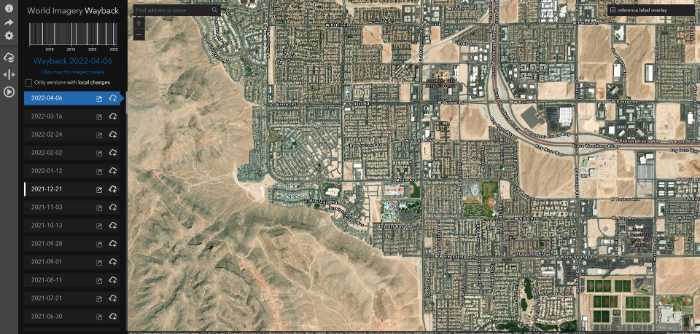
Esri's Wayback Living Atlas is the right tool when you need to compare specific dated satellite captures rather than a continuous slider. It catalogues every Esri World Imagery release back to 2014, so you can pick "the imagery from June 2017" exactly and compare it to "June 2024." If you need to enhance the imagery later to read fine detail, an AI image enhancer fills in the gap.
Whether you want to see how a certain area looked years ago or simply discover what the landscape looked like during a specific event, Wayback offers reliable, dated coverage with interactive mapping tools that are easy to use.
Pricing: FREE
Pros
- Every Esri World Imagery release since 2014 catalogued
- Pick exact dated releases (not just "old vs new")
- Easy-to-use map viewer
- Free, no account required
Cons
- Needs a reasonable internet connection (it streams imagery)
- Limited to Esri-released captures, not USGS / NASA / Planet sources
3USGS LandLook
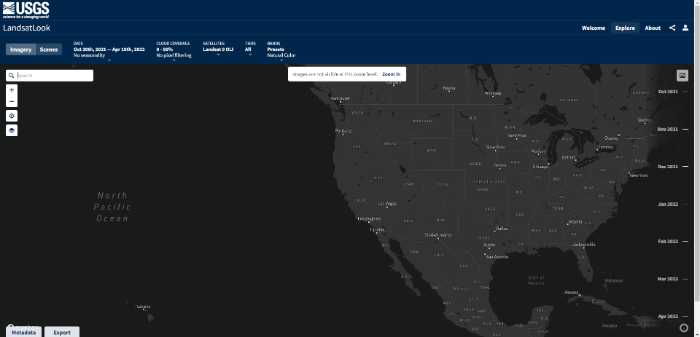
The USGS LandLook viewer is the right tool for viewing Landsat-derived imagery of any region on Earth. You can browse by year, region, and band, zoom in to see the photos in greater detail, and download the source rasters for further analysis.
Historical Landsat imagery dates back to the early 1970s, which means LandLook reaches further back chronologically than almost any other tool in this list. Pair it with an AI-based image resolution enhancer when you want to bring the older lower-resolution captures up to a viewable quality.
Pricing: FREE
Pros
- Landsat imagery dating back to the 1970s
- Zoom and download capability
- Band-by-band analysis for advanced users
- Government-archive reliability
Cons
- Older imagery is genuinely low-resolution (Landsat 1-3 limits)
- Interface is data-tool, not consumer-friendly
4NASA Worldview
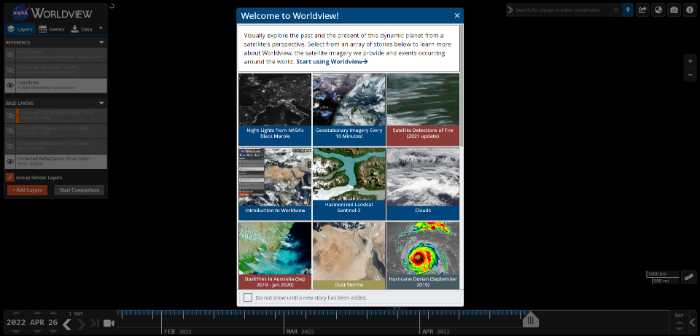
NASA Worldview is a powerful online platform that lets you explore historical Earth imagery, using NASA's photo mapping data to visualise global patterns over time. Whether you're looking for satellite footage of tropical forests, polar ice changes, or detailed photos of city skylines at night, this intuitive tool makes it easy to find exactly what you're after. With a simple interface and easy search, NASA Worldview is the right platform for anyone learning more about Earth's changing landscape.
Pricing: FREE
Pros
- Vast catalogue of NASA satellite imagery
- Excellent for visualising global patterns (climate, polar ice, fires)
- Simple search functionality
- Daily updates from current satellites
Cons
- Performance can be heavy on older computers
- Resolution capped for some satellite layers
5EarthExplorer
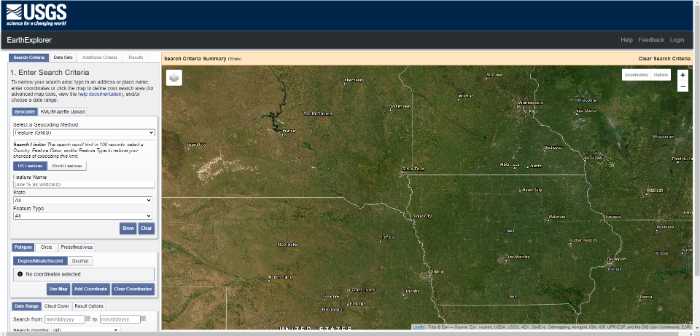
EarthExplorer is the USGS archive viewer for exploring historical photos of regions across the world. It features a unique photo map that lets you zoom in on different regions and view historical images captured at any point in time the archive covers.
There's also a photo viewer for scrolling through image galleries to get a detailed look at historical landmarks, buildings, events, and more. EarthExplorer covers what LandLook does plus a much wider library of aerial photography and declassified intelligence imagery.
Pricing: FREE (account required)
Pros
- Zoom on different regions with rich metadata
- Historical images dating back further than most archives
- Includes declassified aerial imagery
- Detailed metadata viewer
Cons
- Free account required to download
- Some historical data may not be available for every region
6Planet Labs (Planet Stories)
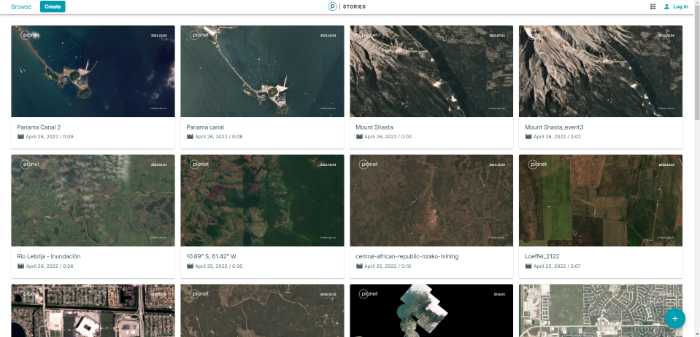
Planet Labs Stories is a curated viewer that puts historical satellite imagery into narrative context. Using historical imagery from Planet's satellite constellation, the viewer lets you visualise and analyse historical events—tracking city growth over years, viewing how landscapes responded to environmental or man-made disasters, and identifying changes over time.
For browsing curated stories the platform is excellent and free. For full-archive API access, Planet's commercial product is the paid tier.
Pricing: FREE (Stories viewer; commercial API access paid)
Pros
- Historical satellite imagery in narrative context
- Strong on recent change tracking (last 5-10 years)
- City growth, environmental change, conflict imagery
- High temporal resolution (frequent re-captures)
Cons
- Free tier is the curated Stories viewer; raw API access is paid
Enlarge Old Map Photos with AI Image Upscaler
When you're restoring old map captures or low-resolution historical photos from the archives, the source resolution is often the bottleneck. The VanceAI Image Enlarger is the right tool for the job because it enlarges images without distortion or quality loss, which makes it the ideal choice for anyone restoring historical map views or photos. The output ends up as good as the original—or in many cases, more readable than the source.

You can see in the comparison images how a public-domain photo enlarges without losing quality. The software offers several preset models to customise the final result to match your source content (standard photo, scanned print, low-resolution archive scan).
Conclusion
There you have it—six free historical photo viewers that help you step back in time. Whether you're exploring your hometown, researching environmental change, building a documentary, or just curious about how a part of the world looked decades ago, these tools make the historical record navigable. Pair the viewer that matches your research goal (Google Earth for ease, Wayback for dated releases, USGS for deep-archive Landsat, NASA Worldview for global patterns, EarthExplorer for declassified aerial, Planet Stories for curated change stories) with an AI image upscaler to make the older captures look their best, and the past is back at your fingertips.
FAQs
What is a historical photo viewer?
A historical photo viewer is a tool that pairs date-stamped imagery (satellite, aerial, or archive photos) with an interactive map or timeline. Instead of browsing photos in isolation, you see them in geographic and chronological context—what a location looked like at a specific point in time, often with a slider to compare across years.
Are these historical photo viewers really free?
Yes, all six tools in this list have a genuinely free tier that gives you access to the historical imagery and the viewing interface. Some (Google Earth, Planet Labs) offer paid enterprise tiers for commercial geospatial analysis, but the consumer viewing experience is free.
How far back do the imagery archives go?
It depends on the tool. USGS LandLook and EarthExplorer go back to the early 1970s for Landsat imagery, which makes them the deepest archives. Google Earth historical imagery generally starts in the early 2000s for most populated areas, sometimes earlier. Esri Wayback catalogues from 2014. NASA Worldview varies by satellite layer.
Can I download the historical photos for personal use?
Yes for most of these tools, with conditions. USGS LandLook, EarthExplorer, and NASA Worldview imagery is generally in the public domain (US government work) and free to download and reuse. Google Earth imagery is subject to Google's terms of use—personal viewing fine, redistribution restricted. Planet Labs Stories imagery requires permission for redistribution.
How do I improve the quality of a low-resolution historical photo?
Run it through an AI image enhancer or upscaler. The VanceAI Image Enlarger reconstructs detail at 2×, 4×, or 8× scale, which makes faded or low-resolution archive photos viewable at modern display sizes. The Standard model works for most general archive photos; the Low Resolution & Compressed model is the right pick for the oldest, most degraded captures.
Which historical photo viewer is best for genealogy research?
For genealogy and family-history research, the combination that works best is Google Earth (to see the family location over time) plus EarthExplorer (to find aerial photography from decades when the family lived there) plus USGS LandLook (for the deepest historical context). Add a photo enhancer for any low-resolution family photos you scan or find archived.
Can I use historical photo viewers offline?
Mostly no. All six tools in this list stream imagery from cloud archives, which means you need an internet connection. Google Earth desktop has limited offline cached areas if you've viewed them before, but the historical-imagery slider needs online access.
What's the difference between satellite imagery and aerial photography in these archives?
Satellite imagery is captured from orbit (Landsat, NASA, Planet); aerial photography is captured from aircraft (much higher resolution, lower altitude, irregular coverage). EarthExplorer is the best tool for finding aerial photography. The other tools in this list are primarily satellite-based.
Can I overlay historical photos with current ones?
Some tools support overlay natively. Google Earth's historical-imagery slider is the easiest. Esri Wayback lets you compare two dated releases side-by-side. For more advanced overlay, export the imagery and composite it in Photoshop or QGIS—an upscaler step first can improve the visual quality of the overlay.
How does VanceAI's credit system work for historical photo enhancement?
VanceAI uses credits across the whole product line. Plans: Starter $4.95 / 100 credits, Standard $9.95 / 200, Pro $24.95 / 500, Premium $44.95 / 1000. Each enhanced photo deducts credits, unused credits roll over up to 5×, the first three images are free, and there's a 7-day money-back guarantee if you've used less than 10% of your credits.