
Snapchat is one of the most popular social platforms for sharing pictures and making short videos of your daily activities. Due to access to its limited library of editing resources, most Snapchatters use Ovf editor to apply effects and edit their videos and photos before sharing them. However, most people don’t realize there are many alternatives to ovf editor with the same features or even more. Hence, this article provides the best apps like ovf editor. Meanwhile, to improve the overall quality of your image before uploading them, you can use Image upscaler to upscale and enlarge them for added details.
What Is OVF Editor?
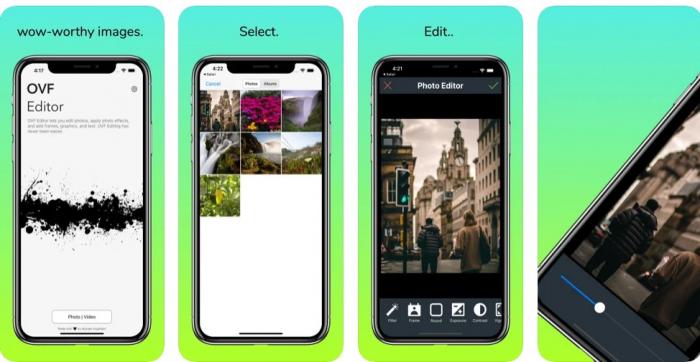
OVF Editor is an Android app designed for Snapchat users to edit their photos before sharing. It applies the latest filters, edits frames, optimizes photo effects, and adds texts, graphics, and overlays — all geared toward the Snapchat workflow.
The strength of OVF Editor is its tight focus on Snapchat. The trade-off: as a single-purpose app, it has a limited content library compared to broader photo and video editors, and many creators eventually outgrow it. The 10 alternatives below cover collages, music videos, AI photo art, cartoon effects, and full-blown video editors — most of them free or freemium so you can test before committing.
10 OVF Editor Alternatives at a Glance
| App | Pricing | Special Features | Best For |
|---|---|---|---|
| Likee | Free | Library of special effects | Short-video creators |
| Status Video | Free | Video editing tools + transitions | Music-driven shorts |
| Pic Collage | Free / from $4.99/mo | 3,000+ collage templates | Photo collages |
| Photolab | Free / in-app from $4.99/mo | Realistic photo effects | Artistic edits |
| Picsart | Free / in-app $0.99–$109.99 | Memes generator + endless filters | All-in-one editor |
| askAI | Free | Filter match-up calculation | Instagram filters |
| Art My Mood | Free | Mood-driven art transforms | Conversational shares |
| Tempo | Free / from $59.99 | Music-video maker + 4K HD | Music video creators |
| Cartoon Yourself | Free / from $19.99/mo | AI selfie → cartoon | Cartoon avatars |
| FreePrints | Free | 500 free prints / year | Print orders |
1. Likee
Pricing: Free
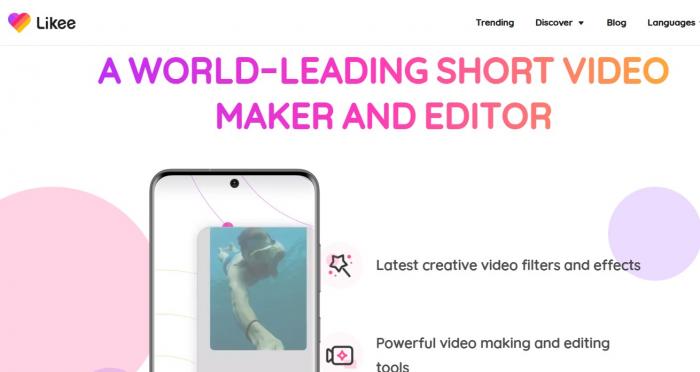
Likee is one of the strongest OVF Editor alternatives. It started as a short-video maker and sharing platform and has grown into a hub for live streams and viewer interaction. Likee covers all the popular special effects for short videos — stickers, filters, transitions, and overlays. You can grow an audience through live streams, and the in-app effects library is updated frequently with trending styles.
Pros
- Free to use
- Huge library of special effects
- Easy to share videos on other social platforms
Cons
- Content moderation is less strict than on mainstream platforms
- Limited editing depth per individual video
2. Status Video — Short Video App
Pricing: Free
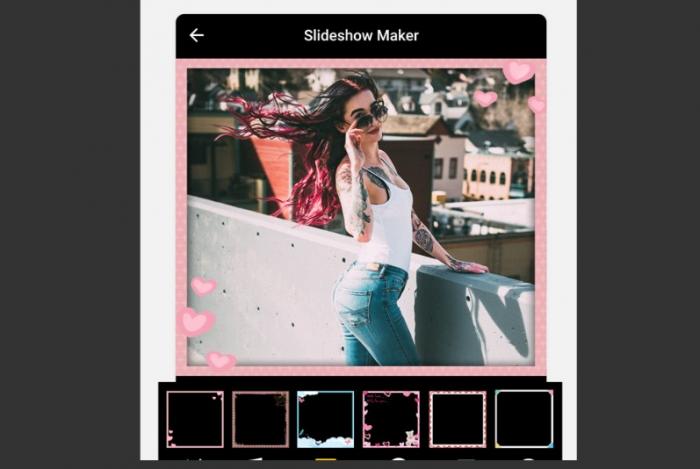
This OVF Editor alternative leans into video editing. Status Video gives you a community to create and share fun videos, build followers, and meet friends. The video cutter lets you cut, edit, add music, stickers, texts, and more.
Features
- Special-effect video editing tools
- Live streaming and network building
- Thousands of trending music tracks
Pros
- Great transition effects
- Theme-based video enhancement
- Free access to song library
Cons
- Occasional lag during video sharing
- Limited fine-grained editing
3. Pic Collage
Pricing: Free and paid (from $4.99/month)
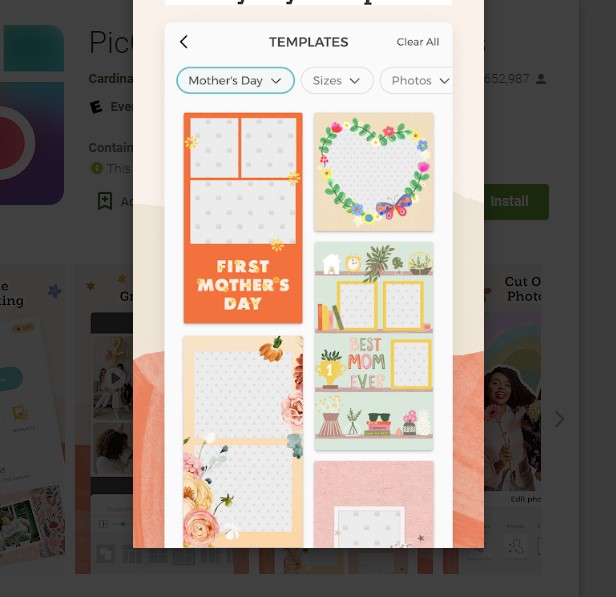
For collage-first work, Pic Collage is the most flexible OVF Editor alternative. There are almost endless ways to combine photos using more than 3,000 design templates plus stickers, texts, cutouts, and overlays.
Features
- Thousands of collage templates
- Vast library of backgrounds and stickers
- Filters to enhance image quality
Pros
- More than 3,000 templates
- Easy to navigate
- Fast and efficient collage building
Cons
- Free version is limited
- Watermarked designs for free users
4. Photolab
Pricing: Free + in-app purchases ($4.99/month)
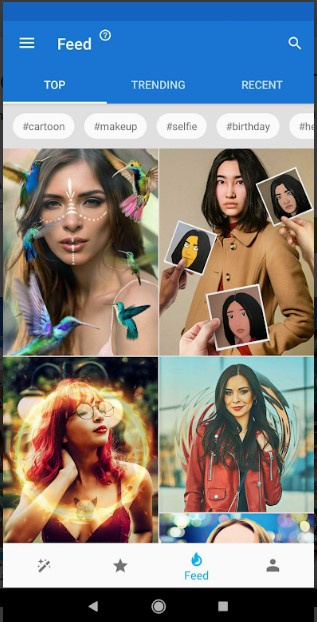
This AI-powered photo editing tool is the perfect alternative to OVF Editor for Snapchat-style art effects. Photolab handles photo enhancement and image upscaling, and includes filters, frames, face montages, and creative art effects.
Features
- Realistic photo effects
- Photo-to-art transformations
- Different collage templates
Pros
- Countless templates for easy design
- Easy to use
- Free effects available
Cons
- Steep learning curve at first
- Overwhelming option count
5. Picsart Photo & Video Editor
Pricing: Free and in-app purchases from $0.99–$109.99
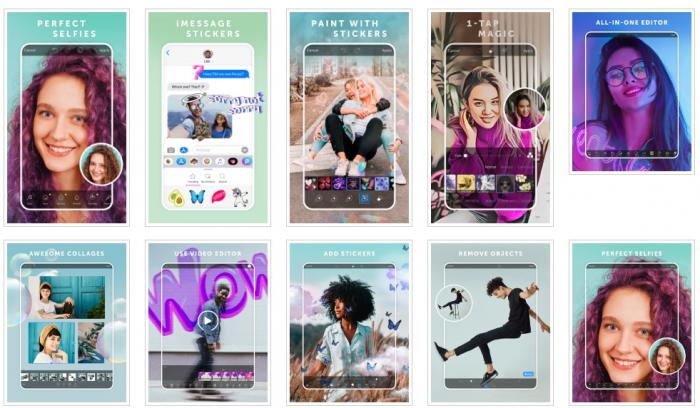
Picsart is an all-in-one creative tool that goes far beyond OVF Editor. You can edit videos and photos, tap into endless effects, and produce content without any pro design background.
Features
- Photo collage + memes generator
- Endless photo effects and filters
- Video and photo editor in one
- Free drawing tools
Pros
- Easy to use and navigate
- Plenty of photo and video effects
- Native social sharing
Cons
- Free version is full of ads
- Slower processing on large files
6. askAI — Make Photo More Likable
Pricing: Free
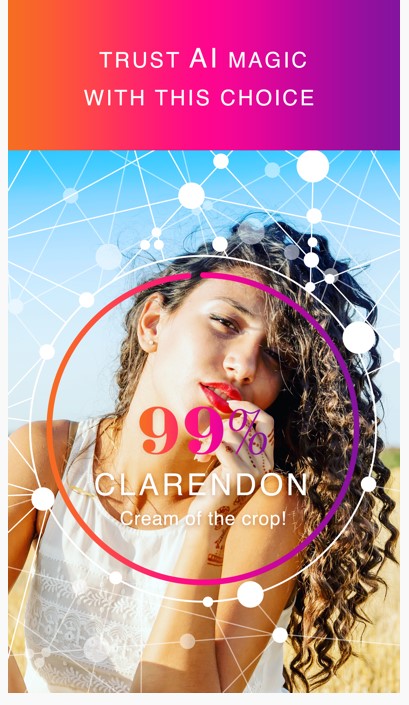
Beyond the impressive filter collection, this OVF Editor alternative uses an advanced algorithm to detect the precise filter suitable for your photo, returning a percentage match score. That match-up score is the game-changing feature.
Features
- Filter match-up calculation
- Collage maker
- Large library of editing features
Pros
- Easy to use
- Impressive filter library
Cons
- Some filters feel outdated
- Tailored mainly for Instagram
- Limited editing options
7. Art My Mood
Pricing: Free
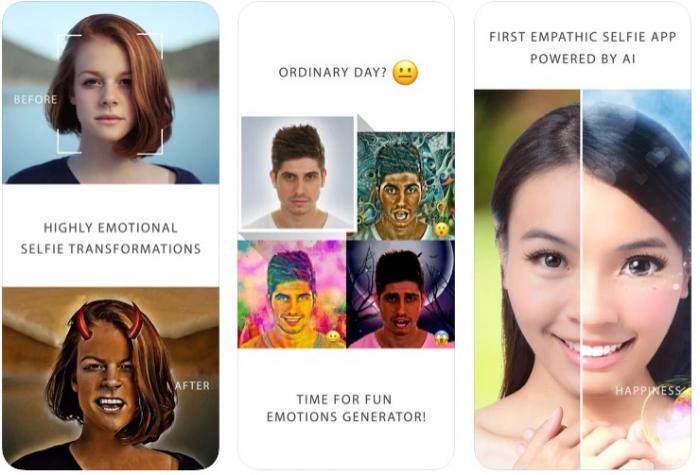
This different OVF Editor alternative reads your mood and turns conversations into something more fun. Powered by a neural network, the app detects your mood and applies an art-style filter that depicts it — transforming normal images into emotive art.
Features
- Transforms photos with art effects
- Third-party sharing
- Auto-generated empathic art
Pros
- Free to use
- Improves user experience
- Fun way to enrich communication
Cons
- No clearly defined algorithm to verify quality
8. Tempo
Pricing: Free and paid (from $59.99)
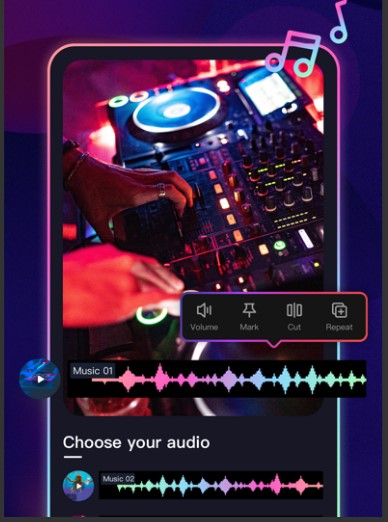
Often regarded as the best music-video maker among OVF Editor alternatives, Tempo lets you edit videos by adding songs from a large collection and pairing them with effects for the perfect reel.
Features
- Shares to third-party apps
- Special transition effects for video
- Large library of special effects
- Curated music collection
Pros
- Categorized music collections
- Improved editing with effects
- HD video up to 4K
Cons
- Limited access on the free tier
- Watermarked videos on the free version
9. Cartoon Yourself
Pricing: Free and paid (from $19.99/month)
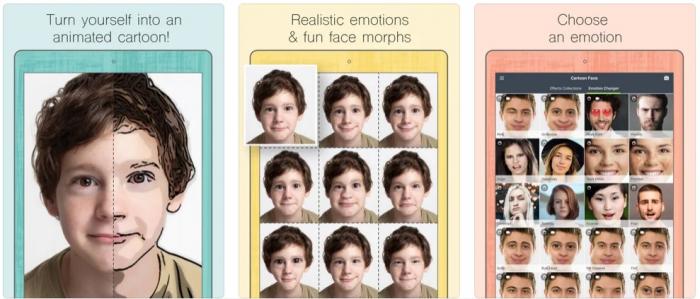
Convert almost any selfie into a cartoon and share it with friends. Running on AI, this tool can cartoonize you across different emotions and even animate the result into a short video clip. The effect library is broad.
Features
- Photo-to-cartoon effects
- Animated emotions on pictures
- Other editing features
Pros
- Easy to use
- Steadily improving AI editing
Cons
- Free version is limited
- Subscription is steep
10. FreePrints
Pricing: Free
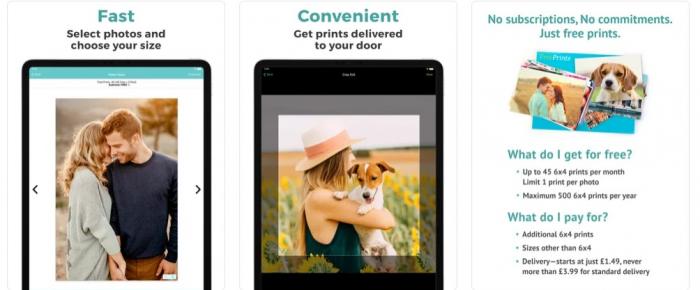
After creating amazing images with the right edits, FreePrints lets you order physical prints — up to 500 free prints per year, with only delivery charges to pay.
Features
- Up to 500 prints a year
- High-quality print guarantee
- Downloads from multiple platforms
Pros
- Multi-platform support
- Free to use
- Guaranteed print quality
Cons
- Privacy guarantees vary by region
One-Click Way to Upgrade Photos Before You Edit
For better edits, you need a higher-quality starting image. The VanceAI Image Upscaler handles this in one click — it can upscale images up to 8x the original size while preserving the underlying detail. Convolutional and generative adversarial networks reconstruct edges and textures rather than stretching pixels, so the upscaled image looks crisp instead of soft. The tool is built for both professionals and everyday creators, and pairs well with any of the 10 editors above.
To use VanceAI Image Upscaler:
Step 1: Open the VanceAI Image Upscaler page in your browser and click "Upload Image."
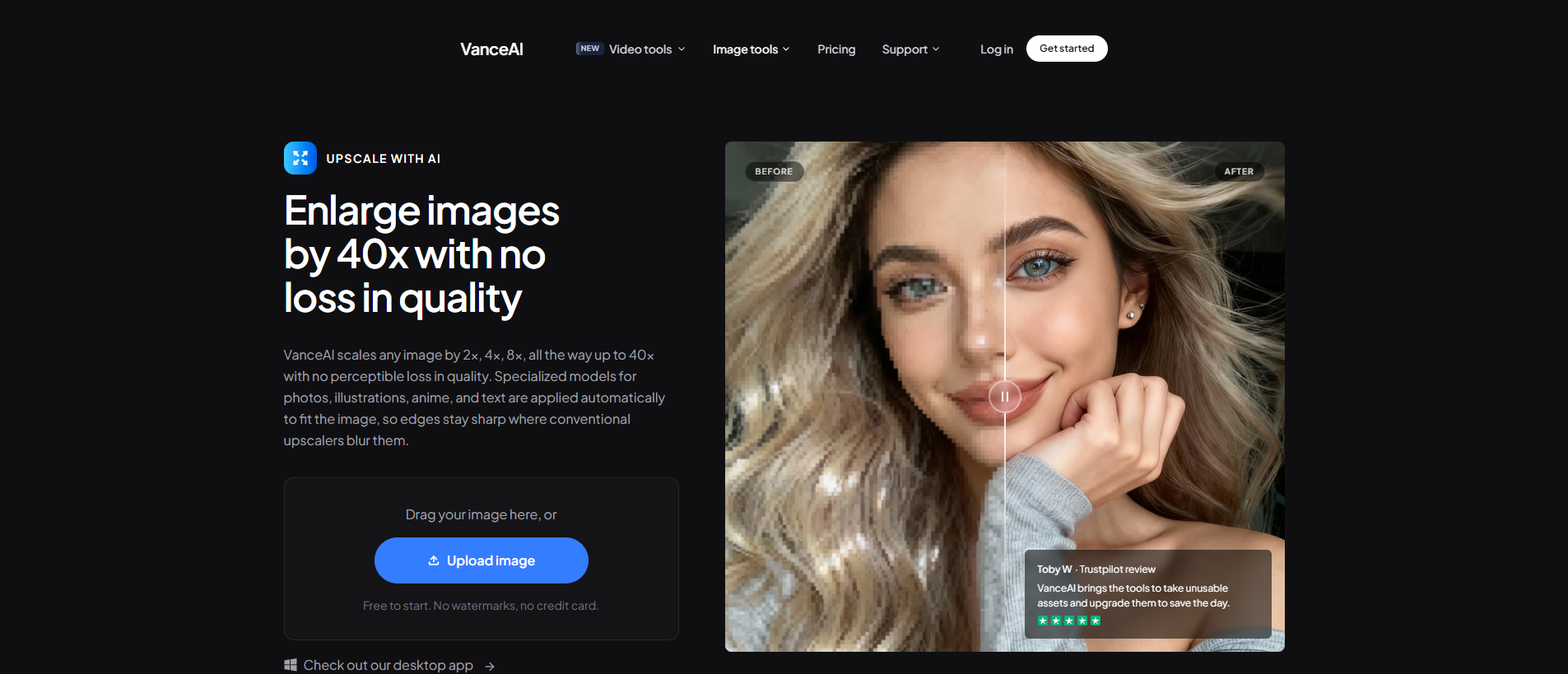
Step 2: Upload the image either by selecting from your device or by drag-and-drop. Click "Start to Process."
Step 3: Wait for the tool to process and upscale automatically. From the "Processed" page, preview the output against the original — and click the edit icon for further fine-tuning if needed.
Step 4: Click the "Download" icon to save the upscaled image.
Before vs After
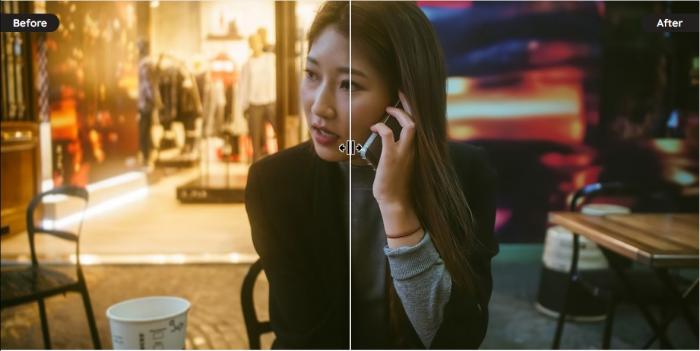
The before-and-after above shows how the upscaling lifts overall sharpness and reduces grain — exactly what you want before pushing the image into Pic Collage, Picsart, or Photolab
Frequently Asked Questions
What is the best OVF Editor alternative overall?
The right pick depends on your workflow. Picsart is the broadest all-in-one editor and the best single-tool answer for creators who want filters, collages, and video edits in one app. Pic Collage is the strongest for collage-first work. Tempo is the strongest for music-video reels. For Snapchat-style filter discovery specifically, askAI is the closest one-to-one OVF Editor replacement.
Is OVF Editor safe to use?
OVF Editor is generally safe to use, but as a third-party app outside Snapchat's first-party services, it relies on external libraries that can introduce some risk. Stick to the official Play Store version, keep the app updated, and avoid granting unnecessary permissions. If privacy is a top concern, an editor with a strong privacy posture (such as Photolab or Picsart's Pro version) is the safer pick.
Which of these alternatives is the best for free use?
Likee, Status Video, askAI, Art My Mood, and FreePrints are fully free. Pic Collage, Photolab, Picsart, Tempo, and Cartoon Yourself all have functional free tiers but lock advanced features behind paid plans. For a no-cost workflow with effects similar to OVF Editor, start with Picsart Free → Photolab Free → Likee for video.
Can I edit Snapchat photos on a desktop browser instead of a phone?
Yes. Picsart, Photolab, and Pic Collage all have web-based versions that work in any modern browser. This is helpful for batch edits or for desktop-first workflows where you want a larger preview before pushing the photo to Snapchat. For starter-image quality lifts, the VanceAI Image Upscaler is also browser-based.
How do I keep image quality high after applying multiple filters?
Heavy filter chains compress detail, especially in shadows and skin tones. The reliable fix is to upscale the original photo first (with VanceAI Image Upscaler), then apply your filters in OVF Editor or any of the alternatives above. Working from a higher-resolution base preserves detail through the filter chain.
Which alternatives support 4K output?
Tempo supports 4K video output on its paid plan, and Picsart Pro exports at high resolutions for both photos and videos. Most of the other alternatives target standard social resolutions (1080p or below) by default, which is fine for Snapchat, Instagram, and TikTok.
How does VanceAI fit into the OVF Editor workflow?
VanceAI is not a direct OVF Editor alternative — it's a pre-edit and post-edit quality booster. Use it to upscale the original photo before filtering, and to denoise or sharpen the final output before posting. The upscale step makes filters look cleaner; the denoise step removes grain that filter compression often amplifies.
Are paid plans on these alternatives worth it?
For casual social posting, the free tiers are usually enough. The paid tiers become worthwhile when you need batch processing (Pic Collage Pro), higher-resolution outputs (Tempo Pro / Picsart Pro), or ad-free editing (Picsart Pro). Most alternatives offer a trial or refund window, so test on a real project before committing to an annual plan.
Can I batch-edit photos with any of these alternatives?
Pic Collage Pro and Picsart Pro support multi-photo selection and templates that apply across a batch. For pure background or quality fixes across many photos, the VanceAI workspace supports batch upload on paid plans — useful before you push the batch into your chosen editor.
How often is OVF Editor updated, and should I worry about features falling behind?
OVF Editor updates have been less frequent than mainstream editors. If you find your favorite filter has been retired or a transition no longer works, the alternatives above (especially Picsart and Photolab) move faster and integrate trending effects within weeks of them appearing on the major platforms.
Conclusion
This article has reviewed the 10 best alternatives to OVF Editor in 2026, with each tool's strengths, weaknesses, and ideal user. For everyday Snapchat workflows, start with Picsart for breadth and Pic Collage for collages. For motion-driven content, Tempo is the music-video pick. And for the foundation-layer quality boost that every editor benefits from, run the original photo through an AI image upscaler before you filter — sharper inputs always produce sharper finals.