


Why Game Remastering Through AI Upscaling Took Off in 2026
Game remasters using a 4K upscaler have become genuinely mainstream over the past two years. The generation that grew up playing the 80s and 90s classics treats those titles as irreplaceable, and the passion for re-experiencing the originals has been validated by hits like Capcom's Resident Evil 2 Remake, which proved you can keep the soul of a classic while updating its graphics, controls, and even story for a modern 4K or 8K display.
For players who don't want to wait for an official studio remaster—or who want to remaster their own playthrough captures—AI image enhancers are now a real option. The processing is fully automatic, so you don't need photo-editing experience. With an online image quality enhancer, it's easy to bring game frames up to 4K or 8K, and from those frames you can rebuild a remastered video of the entire run.
This guide walks through the two routes inside VanceAI, the five AI upscaling models you can pick between, and the five classic titles we believe deserve a fan-led remaster next.
What Is the 4K Upscaler from VanceAI?
VanceAI is a full-suite online photo enhancer with a stack of AI tools for image quality. The enhancer raises image resolution to a higher level in seconds—one click takes an input that was 720p or 1080p and reconstructs it crisper, cleaner, and ultra-HD. Within that suite, the VanceAI Image Enlarger is the right tool for remastering game frames to 4K and 8K because it preserves edges, text, and character detail rather than just stretching pixels.
How to Use the 4K Upscaler to Remaster Game Video to 4K and 8K
Method 1: Use VanceAI Image Upscaler
Follow the step-by-step guide to learn how to remaster a game frame with this AI picture enhancer.
Step 1: Access VanceAI
Go to the VanceAI homepage and select AI Image Upscaler.
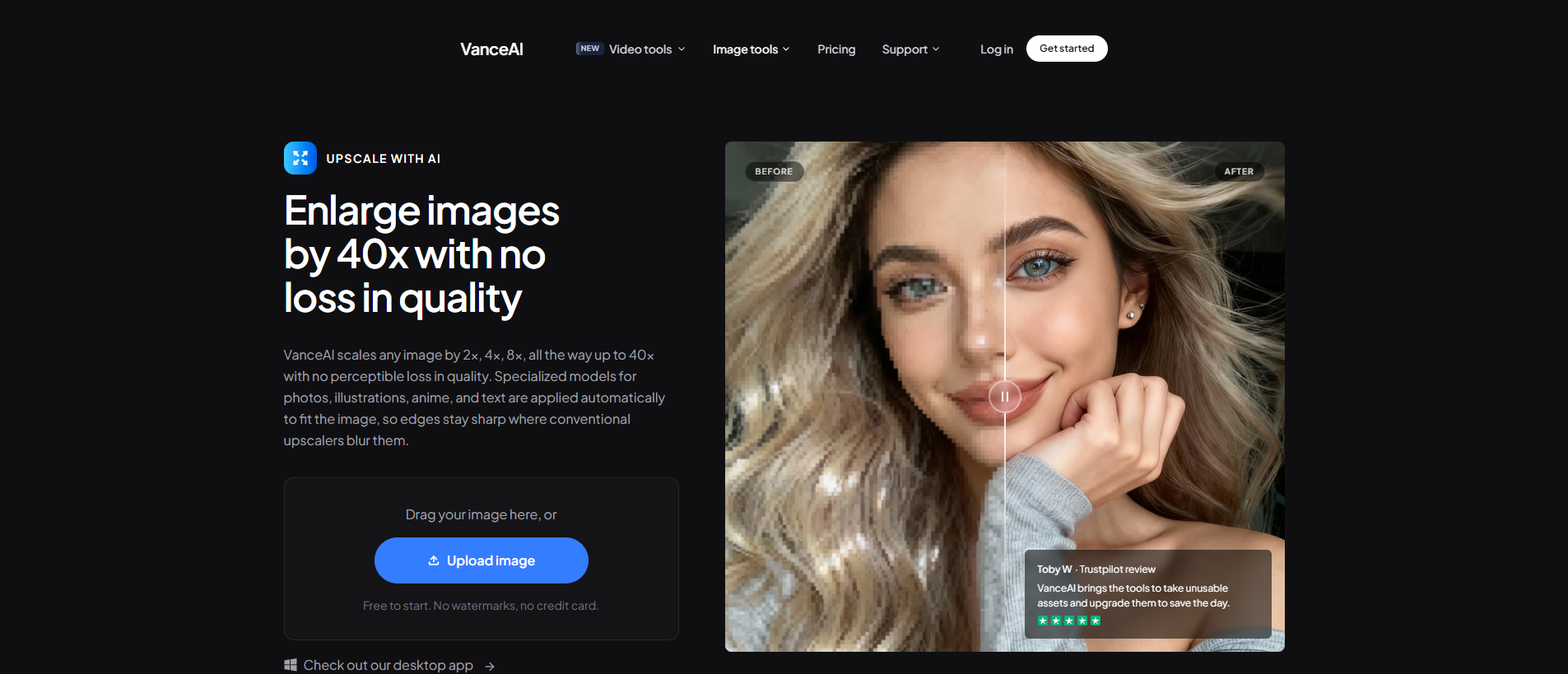
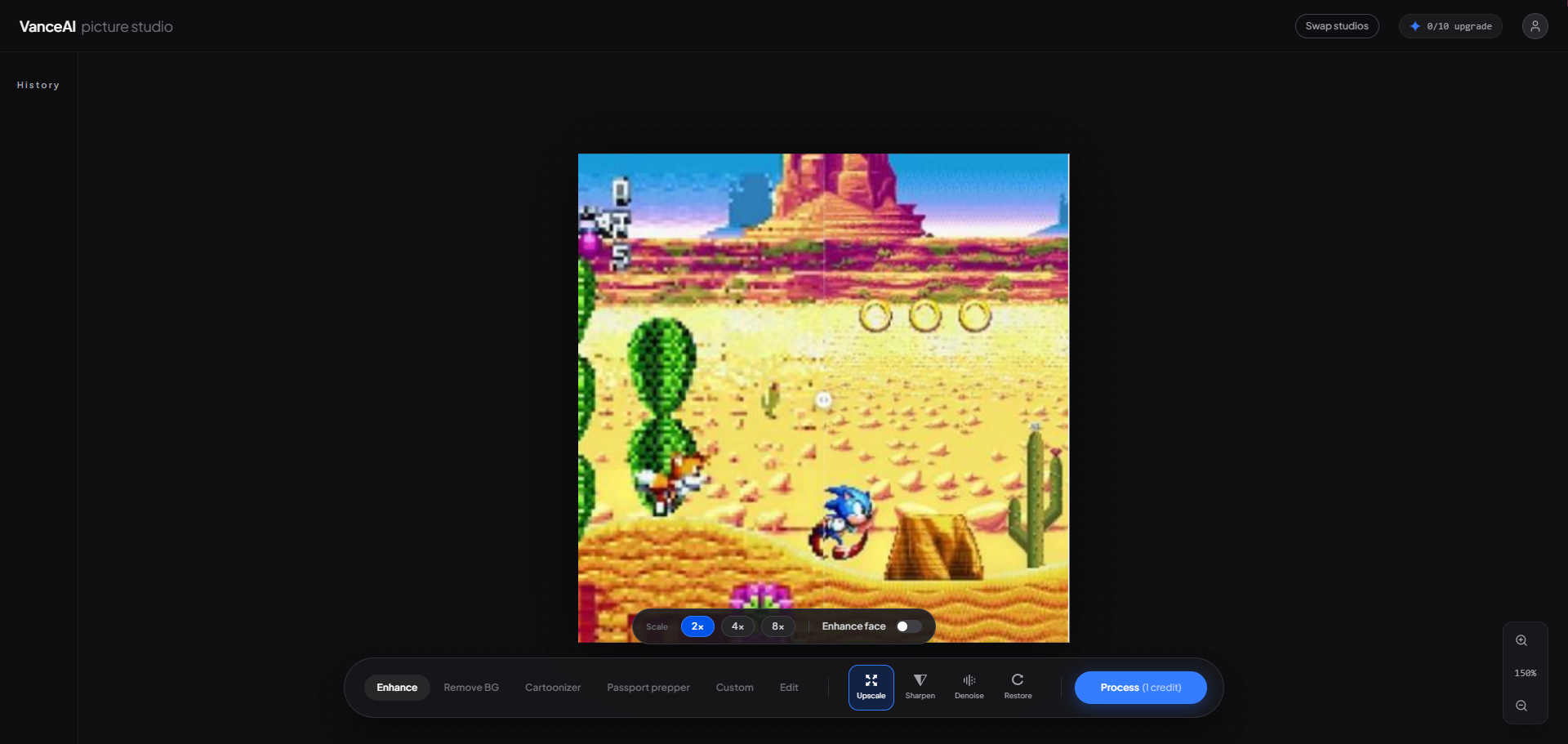
Step 2: Upload a game image and start
Click "Upload Image" to enter the workspace and upload your captured game frame into the online image enlarger. Click "Upscale", choose one resolution, Hit "Process" to remaster the game image with AI.
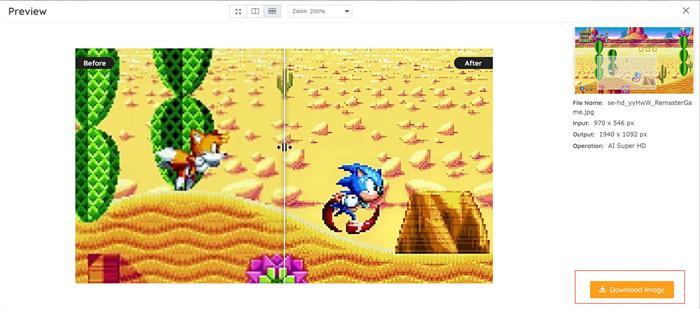
Step 3: Download the result from VanceAI
After a few seconds, the result appears in the processed list, where you can click the download icon to save the upscaled frame to your device.
Method 2: Remaster Game with VanceAI Upscaler Workspace
If you want to remaster game resolution more quickly, visit the VanceAI Upscaler Workspace to enlarge your photos. You can choose 1×, 2×, 4×, or 8× and set the parameters yourself.
Models for Image Upscaling
VanceAI Image Upscaler provides 5 different AI upscaling models. Pick the one that matches your source content.
Standard
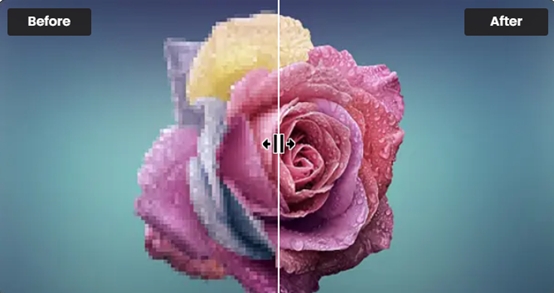
The Standard model (EnlargeStable) handles any image type, including camera photos, paintings, and landscape captures. If you have a general game-capture frame to upscale, this is the safe default.
Anime
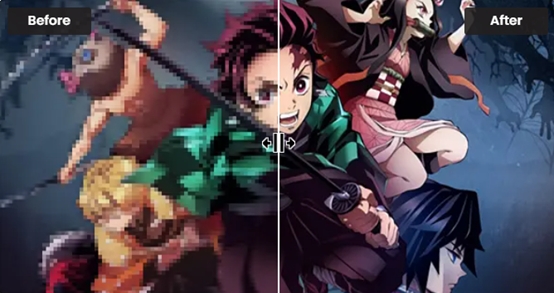
The Anime model is the best option for cell-shaded and anime-style game art. This model converts cartoon, anime, and comics to high definition while preserving line detail. It's split into three sub-models: Anime_4x_AnimeSharp, RealEsrganStable, and Upconv_7. Pick one and upscale 2D animation frames to 2K, 4K, or 8K.
Art & CG
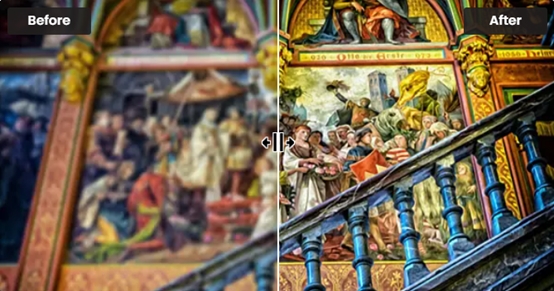
The Art & CG model (Universal_UltraSharp_4x) handles CG renders, hand-drawn art, and concept paintings—exactly what you'd find in a remastered FMV cutscene, in-engine cinematic, or character portrait.
Text

Legible text frames matter for game UI, dialogue boxes, menus, and lore screens. The Text model (Text_4x_TextSharpV1) is tuned to keep characters readable when scaled up, so your remastered subtitles don't turn into smudges.
Low Resolution & Compressed
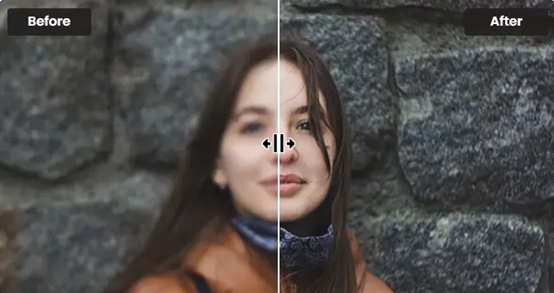
The Low Resolution & Compressed model is the right pick for emulator captures and YouTube rips where the source has already lost detail. It reconstructs lost edges and removes compression blocks in one pass.
VanceAI PC
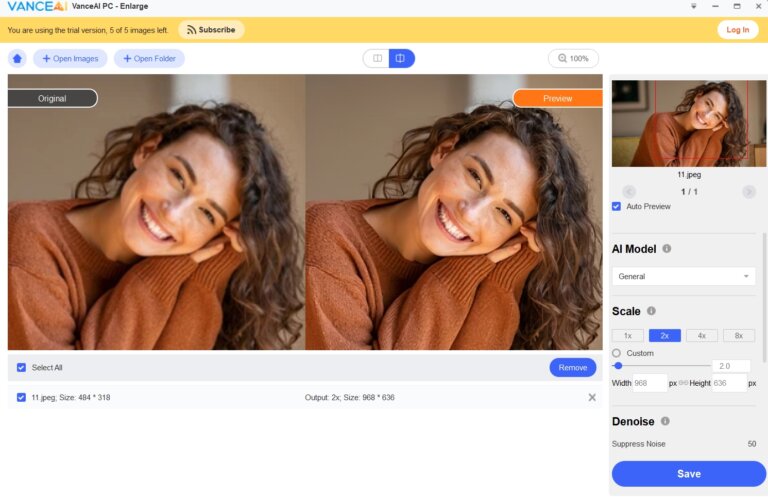
For batch remastering—say, every frame of a level you captured at 30 fps over 5 minutes—VanceAI PC is the right tool. It uses the same AI algorithms locally without per-frame uploads, which speeds up the workflow significantly.
Best 5 Classic Games That Deserve a Remaster
For years, games have been ported, remastered, and remade so they reach new audiences. Especially in the modern console era, the demand for classic remasters cannot be ignored. With recent successful remasters like Burnout Paradise, we can look forward to more classic remasters. With VanceAI's 4K upscaler, the fan-led "remaster the assets myself" route is more accessible than ever.
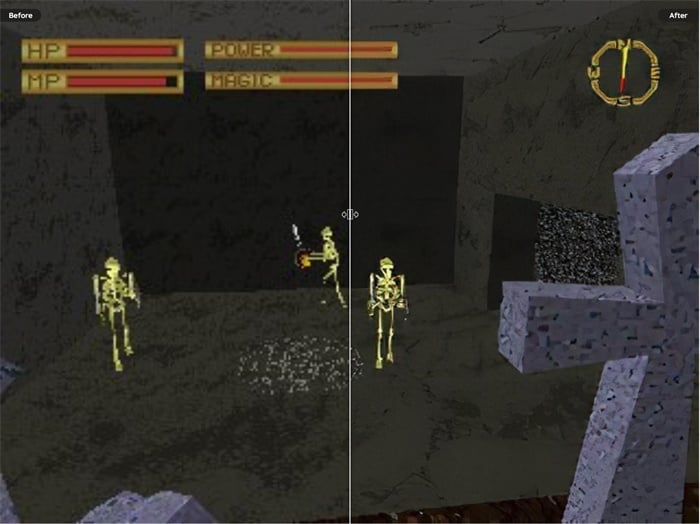
1. King's Field
King's Field is a first-person perspective role-playing video game series released for the PlayStation in Japan on December 16, 1994. It's known for genuinely haunting, spooky atmospheres—but the blocky graphics don't hold up today. A remaster is the right way to recreate the fantastic atmosphere with modern resolution. From Software fans (now better known for Dark Souls) routinely cite King's Field as the spiritual ancestor.
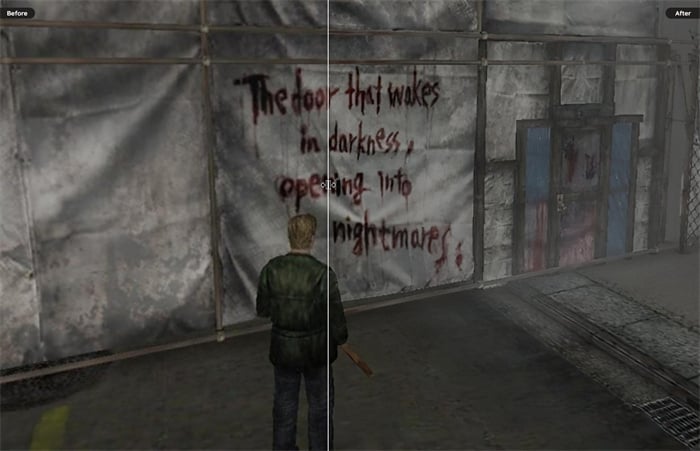
2. Silent Hill
Silent Hill is widely considered the best survival horror series of all time. With exciting stories and atmospheric design, horror games genuinely benefit from better sound and graphics today. The PS1 fog—originally a hardware limitation that became iconic—would translate beautifully to a high-resolution remaster while keeping the visual identity intact.
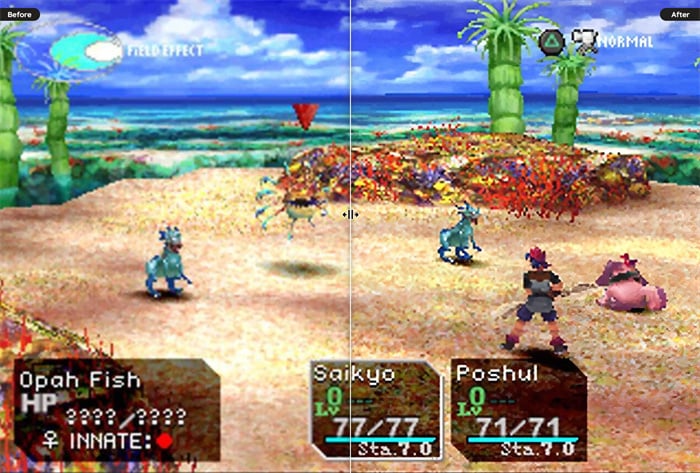
3. Chrono Cross
Chrono Cross is a role-playing video game released for the original PlayStation console. It's frequently ranked among the greatest games of all time, with charming pre-rendered backgrounds and spot-on gameplay. The game shipped over 1.5 million copies worldwide. The 2022 Radical Dreamers Edition was a starting point but left fans wanting a proper full visual remaster.
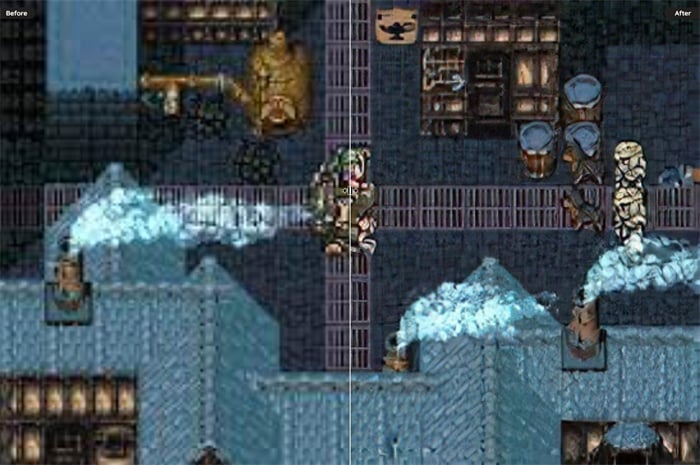
4. Final Fantasy VI
Final Fantasy VI is a star among 2D role-playing video games. It's still magnetic thanks to its charming story, where each party member feels like the lead character at different points. A higher-resolution remaster of the original 16-bit sprites—not the pixel-remaster style, but proper hand-redrawn HD art—would be a visual spectacle.
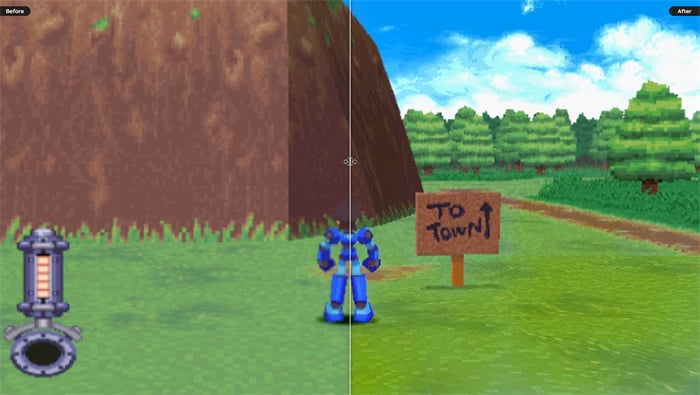
5. Mega Man Legends
Mega Man Legends is a series of action-adventure video games created for the PlayStation. The pixel-art-meets-3D graphics fit the story brilliantly, and the soundtrack is considered one of the best in gaming. The 2D-feeling 3D doesn't always translate to modern hardware—a remaster could keep the art direction while resolving the rendering quirks.
FAQs
What does it mean to remaster a game?
A video game remaster updates graphics and controls for contemporary hardware. The simple route is to improve the game images to 4K or 8K without quality loss so they look right on a modern display. A remaster typically shares the same title and core story as the original—the difference is presentation, not content.
Is it legal to remaster a game?
It depends. If your remaster ports the game to a different engine or includes copyrighted assets you don't own, it's copyright infringement. If you're just upscaling captures of the original game for personal use or fan-edit videos, it's most likely legal. Many original developers actively support fan upscaling because it brings their work to new audiences.
Are remastered games worth it?
Yes, both for classic-game fans and new audiences. For long-time fans, remasters make the originals playable on modern consoles and displays. For new audiences, remasters are how they get introduced to titles they'd otherwise never play. The recent surge in HD-2D and proper remasters proves the audience demand.
What's the difference between remaster, remake, and reboot?
A remaster keeps the original game's content and engine but updates the presentation (resolution, frame rate, sometimes audio). A remake rebuilds the game from the ground up with new engine, new assets, sometimes new mechanics. A reboot restarts the franchise with new continuity—same name, different story. AI upscaling sits firmly in the remaster category.
Can I remaster a whole game video, not just stills?
Yes, but it's a frame-by-frame process. Extract video frames using FFmpeg or a video editor, run each frame through the upscaler (batch mode in VanceAI PC), then reassemble at the same frame rate. Three-minute clips become a multi-hour batch but the result is a genuine 4K or 8K upscale of the original gameplay.
Which VanceAI model should I pick for 8-bit and 16-bit game art?
The Anime model handles pixel art and 2D animation best because it's tuned to preserve hard edges and line detail. The Standard model softens too much for crisp pixel art. For SNES, Mega Drive, and Game Boy captures, default to Anime and step up to 4× scale.
Do I need a 4K or 8K display to remaster game footage?
No. The upscaler outputs the higher resolution regardless of your display—you can produce 8K masters on a 1080p monitor. The benefit shows up later: if you ever switch to a 4K or 8K display, your archive already looks correct, and you don't have to redo the work.
How long does it take to remaster a single game frame in VanceAI?
A few seconds per frame in the browser version. The desktop software (VanceAI PC) is faster per frame and supports queueing, which matters when you're processing hundreds of captures.
Will AI upscaling introduce hallucinated detail?
Modern AI upscalers reconstruct plausible detail from learned patterns. For most game content this looks correct, especially with the appropriate model (Anime for 2D art, Standard for 3D capture). For text and UI elements you can occasionally see misinterpreted characters—use the dedicated Text model in those cases.
How does VanceAI's credit system work?
VanceAI uses credits across the whole product line. Monthly plans run from Starter $4.95 / 100 credits, Standard $9.95 / 200, Pro $24.95 / 500, Premium $44.95 / 1000. Each upscaled frame deducts credits, unused credits roll over up to 5×, the first three images are free, and there's a 7-day money-back guarantee if you've used less than 10% of the plan.
Final Thought
Video games that we still think of as classics generally have exquisite art direction, impressive stories, and immersive contexts. For most game fans, there's at least one title they've always wanted to see remastered. With an easy-to-use online 4K upscaler from VanceAI, you can upscale gameplay video and produce a remastered version yourself by lifting the image quality to 4K or 8K—plenty enough for playing on modern consoles and displays. Pick the model that matches your source content, batch the frames, and your favourite classic is back in the era it deserves.


