What Is an AI Image Extender?
An AI image extender — also called AI outpainting — is a tool that expands an image by generating brand-new content beyond its original borders. Instead of just cropping or upscaling, it analyzes what's already in your photo and intelligently "paints out" the scene in any direction, adding sky, scenery, or background that looks like it was there all along.
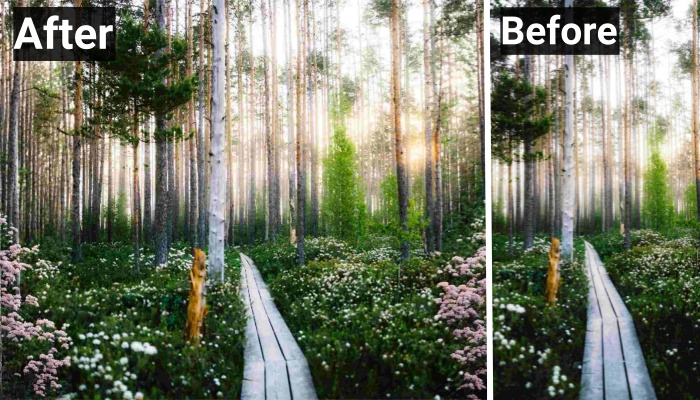
Artists, designers, and digital creators use outpainting to extend famous paintings, build wider compositions, and adapt visuals for ads. Casual users enjoy it too — adding playful elements to images and reshaping photos for social media. Whatever your goal, an AI image extender turns a fixed frame into a flexible canvas in seconds.
Why Do You Need an AI Image Extender?
Resize images without distortion. Traditional resizing stretches or crops your photo. An AI extender adds genuine new pixels instead, so you can change a photo's dimensions or aspect ratio without squashing the subject or losing important content.
Boost creativity and storytelling. Outpainting gives you a larger canvas to work with. By generating matching details around your subject, it helps you reframe a composition, build a wider scene, and tell a richer visual story — perfect for design, marketing, and concept art.
Save time and effort. Manually painting a believable background extension takes serious skill and hours in an editor. AI does it automatically in a few clicks, freeing you to focus on the creative decisions instead of the pixel-level work.
Best AI Image Extenders Reviewed
Here are four popular AI image extenders worth trying, each with its own strengths.
Fotor
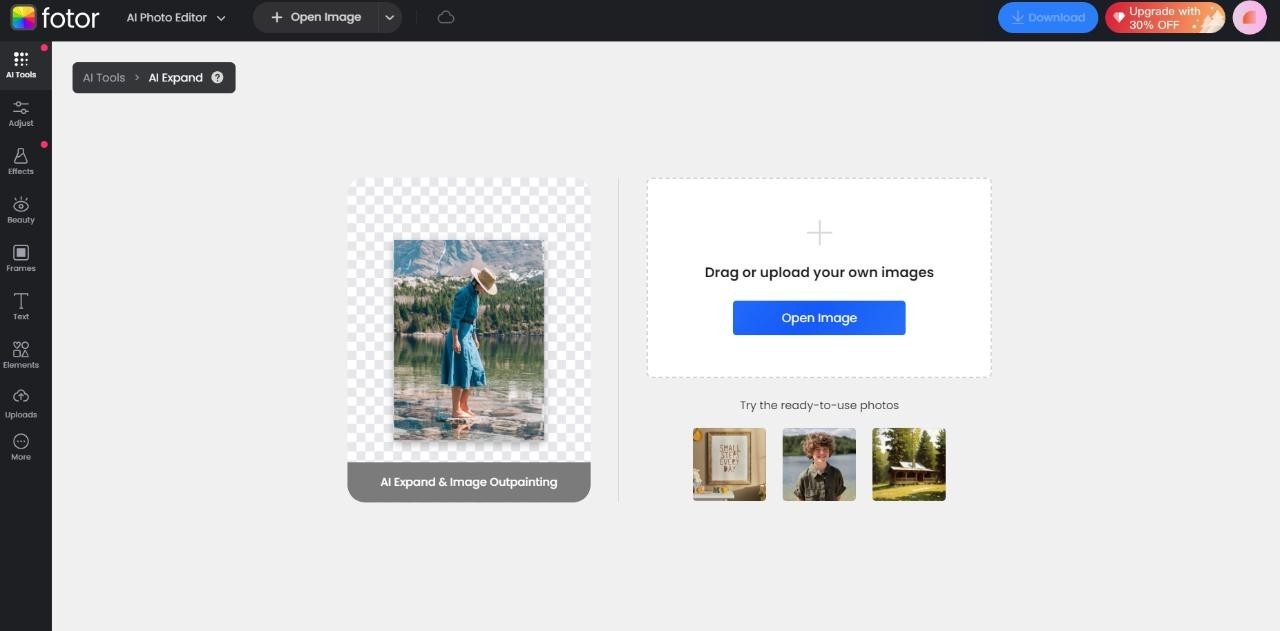
Fotor's AI image extender lets you expand images through outpainting in just a few clicks. The interface is fast and beginner-friendly, so you can upload almost any image and generate new surrounding pixels quickly.
How to outpaint in Fotor:
Step 1: Open Fotor's AI image extender online. You'll land in editor mode with a sample image ready for outpainting.
Step 2: Upload your own image (or use a sample), then adjust the dimensions and parameters for the extension.
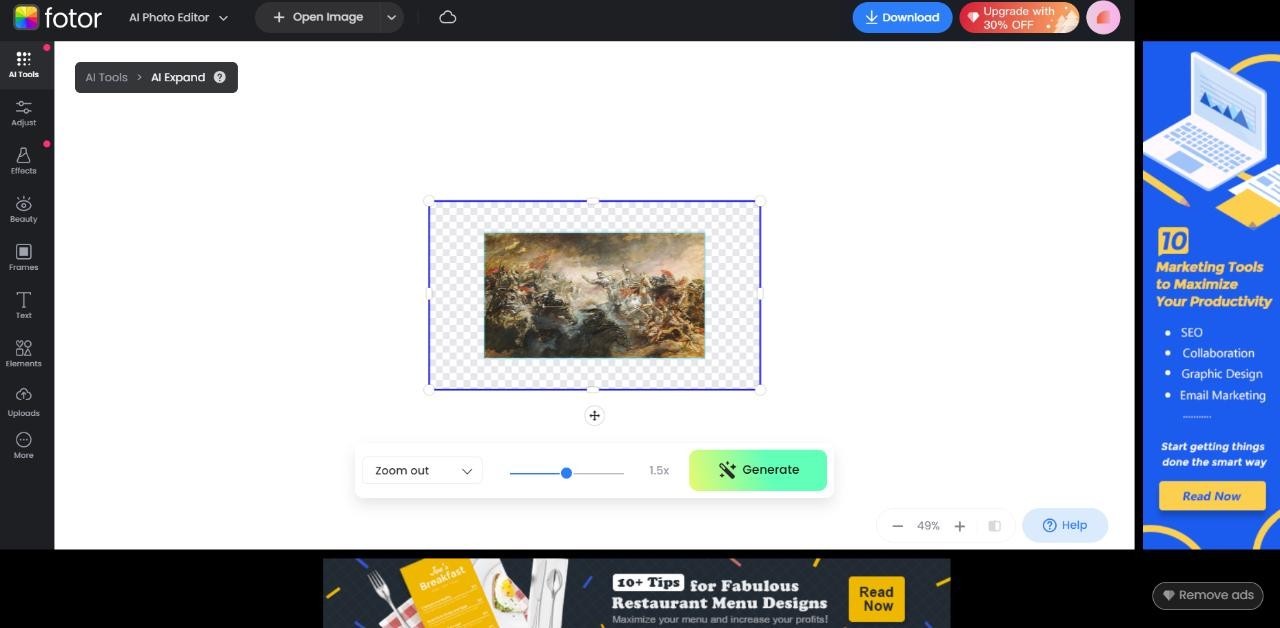
Step 3: Fotor analyzes the image and generates several outpainted versions. Click to preview each one and download your favorite.
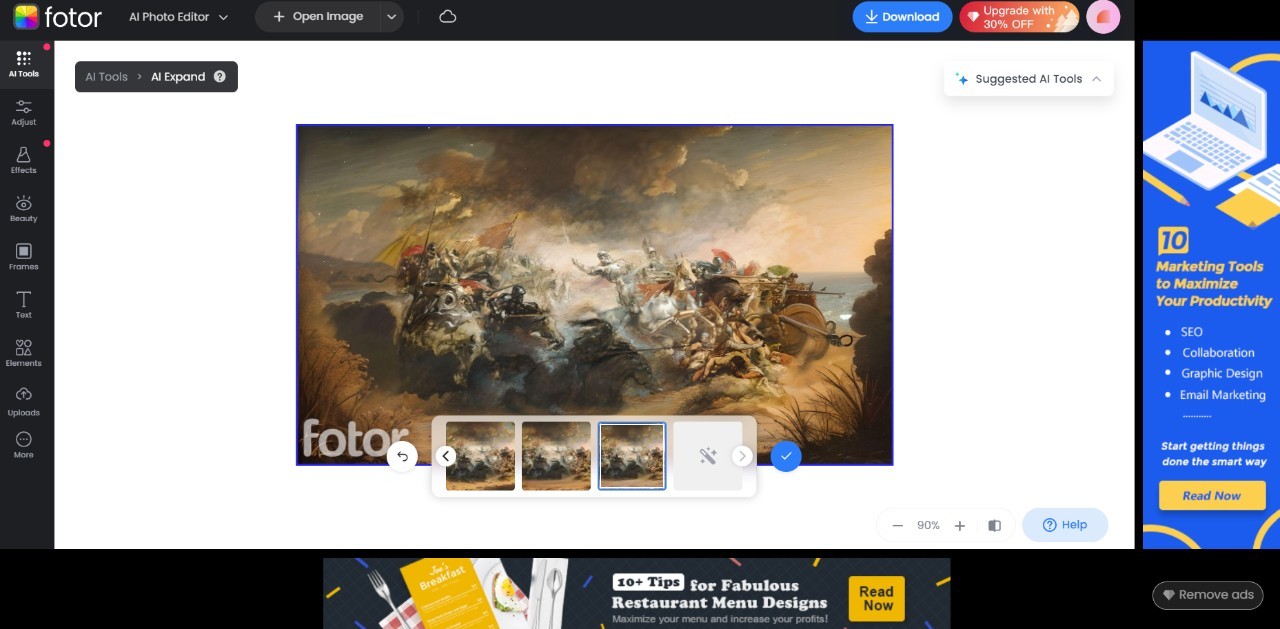
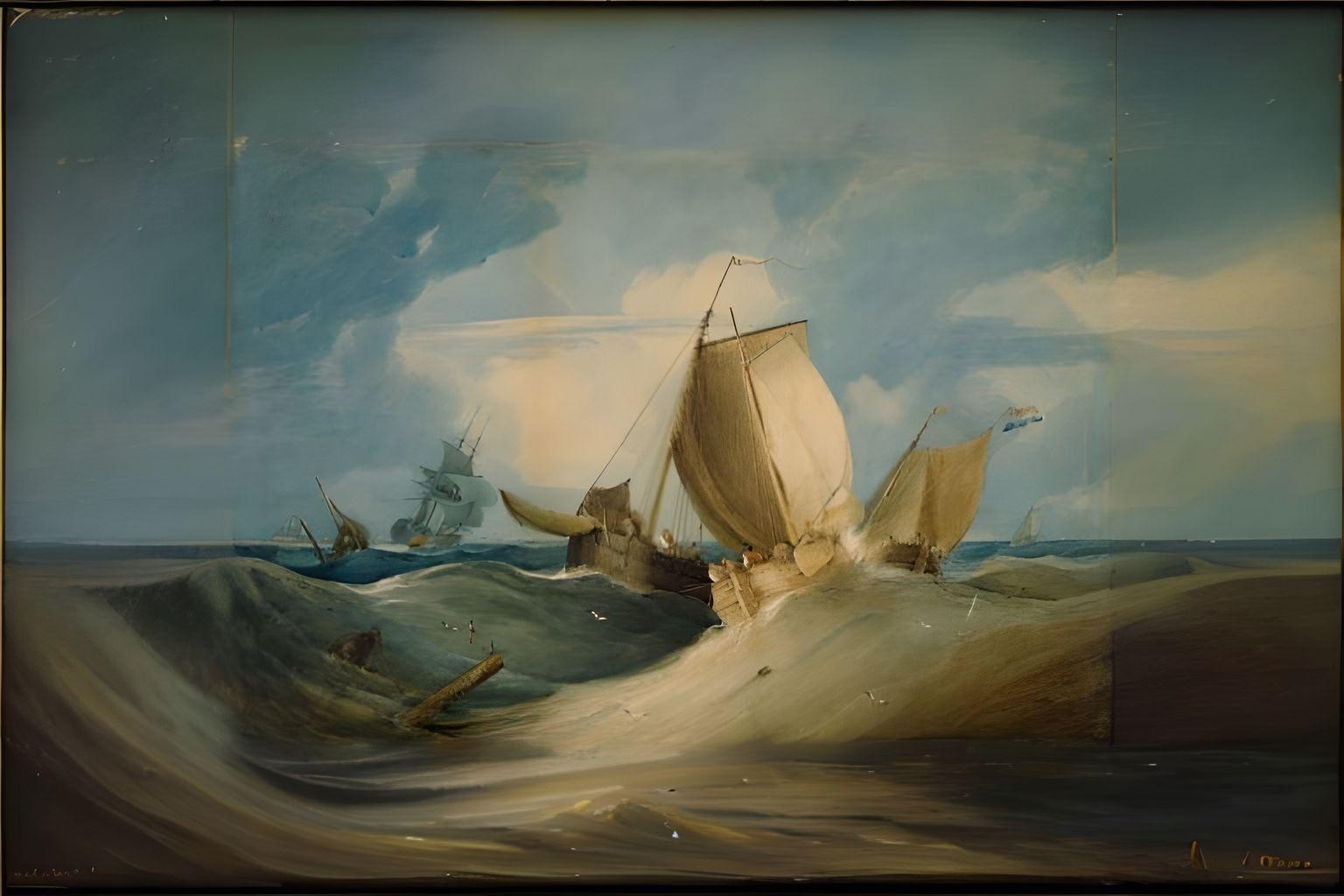
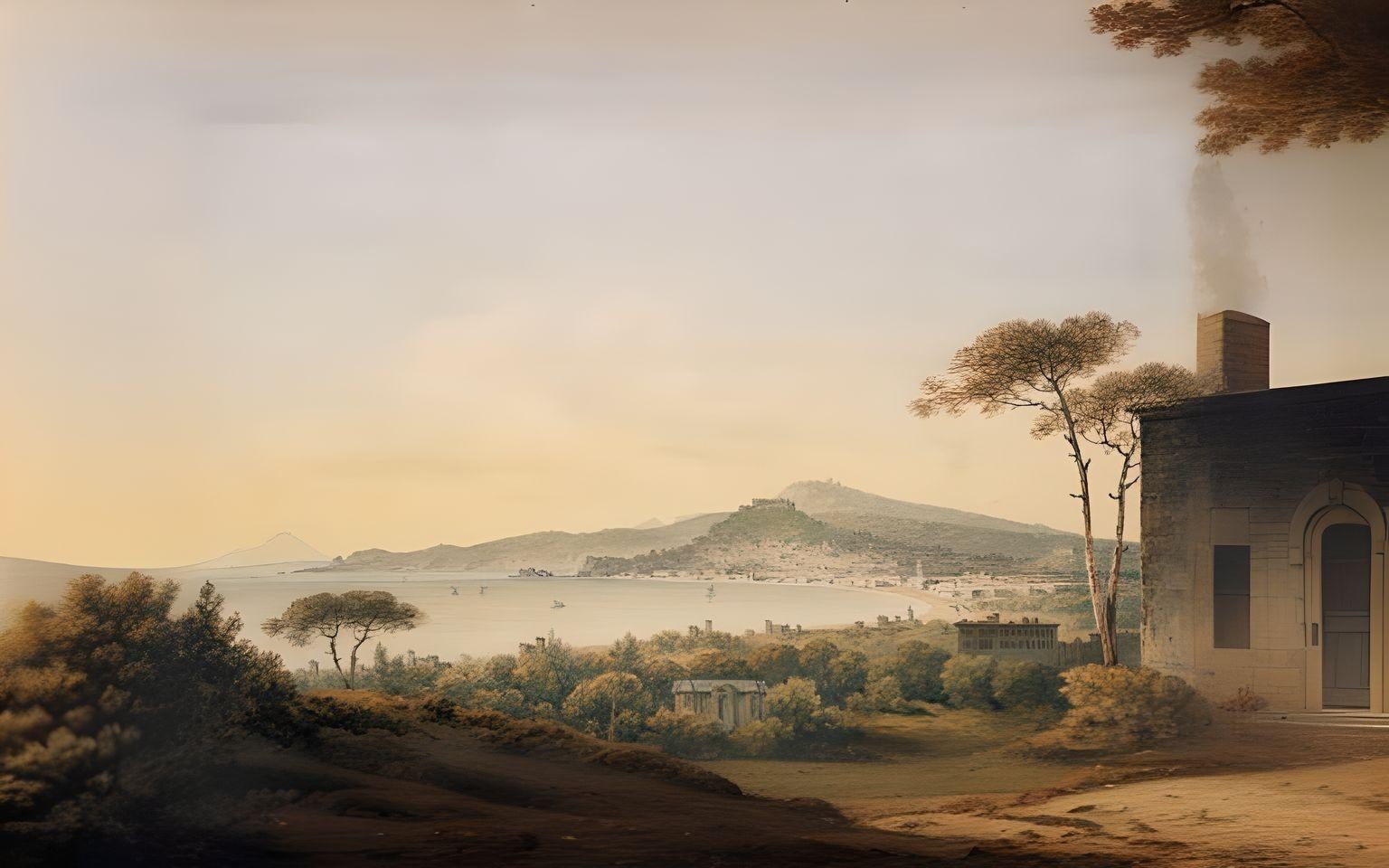
Outpainting also shines on classic artwork — here are two famous paintings expanded with AI:
Rough Weather by Samuel Owen
Naples by John Warwick
Picsart
Explore beyond your camera's frame with Picsart's free AI image extender. It expands your photos online using generative AI with no compromise in quality, and there are no hidden fees or subscriptions for the basic feature. Choose from resolution templates with various aspect ratios, then upload your image, pick a ratio or use the custom expand option, and save. Its context-aware AI reads your image and delivers realistic results, making it a versatile choice for both professional and personal projects.
PromeAI
PromeAI's outpainting feature expands your imagery intelligently according to the ratio or dimensions you set. You can enlarge a picture by exactly as much as you want — just position the base image toward the direction you want to extend, and PromeAI fills the rest. That control makes it a strong pick for creative projects that involve experimentation, so you grow an image to the precise size you need without it ballooning out of proportion.
Canva
Canva's AI Image Expander offers a smooth outpainting experience. Available to Canva Pro users, the Magic Expand feature extends an image in any direction, recovering content beyond the original frame or fitting a design to a new layout. It blends the generated areas cleanly so your image stays crisp and detailed, whether you're sizing it for a social post or a large marketing campaign.
Finishing Your Extended Image with VanceAI
Outpainting expands a frame, but the newly generated areas — or an older, low-resolution source — can sometimes look soft once you scale the result up for print or a high-res display. That's where finishing tools help. Run your extended image through the VanceAI AI Image Upscaler to enlarge it up to 8x while sharpening detail and reducing noise, so the whole composition stays crisp at full size. VanceAI runs on a credit system with 3 free credits per month, a money-back guarantee, and rollover of unused credits — an easy way to make sure your expanded masterpiece looks polished everywhere you use it.
Conclusion
AI outpainting is a powerful, fun way to expand your visuals and create new content beyond the original frame. With tools like Fotor, Picsart, PromeAI, and Canva, you can extend almost any image in seconds, and a quick pass through VanceAI Image Upscaler ensures the finished result stays sharp at any size. Whether you're working on a marketing campaign or a personal project, an AI image extender gives you a limitless canvas for your ideas.
FAQs
What can AI image extenders do?
AI image extenders expand a photo beyond its original borders by generating new, matching content. They're useful for changing aspect ratios, building wider scenes, creating eye-catching marketing visuals, and adapting product images for e-commerce.
What is the best free tool for outpainting photos?
Fotor and Picsart both offer free AI outpainting that works in a few simple steps. They're ideal for designers and casual users who frequently need to extend or reshape images without paying for software.
How is outpainting different from upscaling?
Outpainting adds new content around your image to make the frame larger, while upscaling increases the resolution of the existing image without changing its borders. Many workflows combine both — extend the frame, then upscale for a crisp, high-resolution result.
Are AI image extenders free to use?
Several are. Picsart offers a free image extender, and Fotor provides free outpainting. Others, like Canva's Magic Expand, require a paid plan such as Canva Pro for full access.
Can I extend an image in any direction?
Yes. Most AI image extenders let you expand left, right, up, down, or on all sides. Tools like PromeAI and Canva's Magic Expand give you precise control over how far and in which direction the image grows.
Will outpainting reduce my image quality?
Good AI extenders generate new pixels that match the original, so quality is generally preserved. If the result looks soft after resizing, upscale it with an AI image upscaler to restore sharpness and detail.
What is AI outpainting used for?
It's used for creative art, marketing graphics, e-commerce product shots, social media content, and adapting photos to new aspect ratios. It's popular with artists and designers who want a larger canvas without re-shooting or redrawing.
Do AI image extenders work on any image type?
Most work with common formats like JPG and PNG and handle photos, illustrations, and digital art. Results are best when the original image has clear context for the AI to extend naturally.
How do I get a high-resolution result after extending an image?
After outpainting, run the image through an AI upscaler like VanceAI Image Upscaler. It enlarges the picture up to 8x while sharpening detail, so the extended composition looks crisp for print or large displays.
Which AI image extender is best for beginners?
Fotor and Picsart are the most beginner-friendly, with simple upload-and-expand workflows and free access. Canva is also easy if you already use it for design and have a Pro plan.