In this fast-paced era where every pixel counts, the ability to upscale resolution while maintaining quality is crucial. Imagine transforming your everyday photos and ordinary visuals into stunning, high-resolution masterpieces. Magnific AI promises exactly that with advanced generative AI — but is it worth the premium price tag?
This 2026 review covers Magnific AI's features, pricing, ratings, step-by-step usage guide, and pros and cons, then introduces the VanceAI's AI Image Upscaler as a flexible alternative.
What Is Magnific AI?
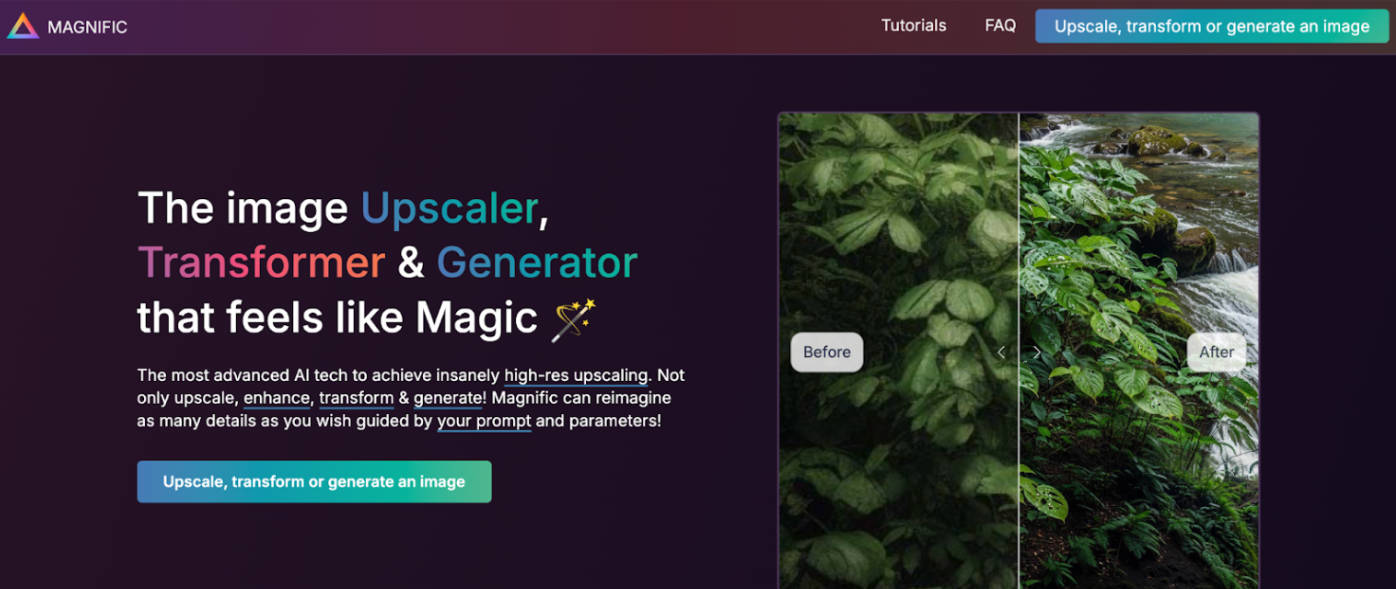
Magnific AI image enhancer is an advanced, professional online tool built by Javi Lopez and Emilio Nicolas. It uses generative artificial intelligence to deliver high-resolution upscaling — upscaling, enhancing, transforming, and even generating image content. Whether you're a photographer, graphic designer, or digital artist, Magnific AI can turn low-quality images into high-quality visual content by adding clarity, detail, and sharpness.
The platform lets you describe the result you want via a text prompt, and offers parameter sliders for fine control. Magnific AI supports 4x, 8x, and even 16x resolution upscaling. New users can find it daunting if they're unfamiliar with prompt-based controls — entering the wrong prompt or parameter combo can produce results that don't match expectations.
Key Features of Magnific AI
- Detail enhancement and upscaling: Magnific AI enhances image resolution by upscaling for printing or detailed viewing. It adds intricate details, bringing out textures and elements that were previously lost.
- Generative AI technology: The model uses heavily trained deep learning with the latest generative AI — better than many traditional AI image generators at adding plausible new detail rather than just sharpening existing pixels.
- Style transfer: Apply artistic styles to images for creative output. The platform offers Upscale, Enhance, DeNoise, and DeJPEG modes for different image improvement needs.
- Color enhancement and noise reduction: Make colors more vibrant and remove noise in a single pass.
- Greater customization and controls: A Creativity slider manages detail and realism. You can also adjust HDR and anchor settings on the fly.
- Beginner-friendly interface: Magnific is accessible to users at any skill level — portraits, landscapes, illustrations, and design art are all supported.
- Multiple image formats: PNG, GIF, JPG, and BMP are supported for both input and output.
Pricing and Subscription Plans of Magnific AI
Magnific AI is a startup operated by two founders. It offers a 24-hour free trial with 50 free tokens — enough for ten upscales to 2K resolution. To unlock the full feature set and higher resolutions, you need a paid plan.
| Plan | Price | Tokens | Upscales |
|---|---|---|---|
| Pro | $39 / month | 2,500 tokens | 200 normal + 100 large upscales |
| Premium | $99 / month | 6,500 tokens | 550 normal + 250 large upscales |
| Business | $299 / month | 20,000 tokens | 1,600 normal + 800 large upscales |
Payment is accepted via credit and debit cards. Magnific AI does not accept PayPal or cryptocurrency.
How to Use Magnific AI to Upscale Your Images
Using Magnific AI is straightforward. The platform provides in-depth tutorials and a supportive community — useful for learning both basic functions and advanced techniques.
Step 1: Open the Magnific AI website in your browser. Click "Upscale an Image" to start.
Note: You need to register an account and subscribe to a paid tier (or activate the free trial) before processing.
Step 2: Import a low-resolution image from your computer. Direct the upscaling process with a text prompt and adjust the creativity sliders for the result you want.
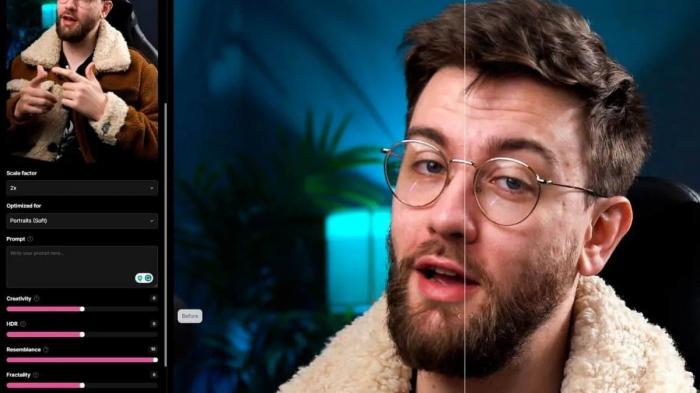
Step 3: Define the art style. Available styles include Standard, Portraits (Soft), Portraits (Hard), Art and Illustrations, Videogame Assets, Nature and Landscapes, Film and Photography, 3D Renders, and Science Fiction & Horror.
Optimize the level of detail. The Creativity Slider lets the AI add plausible new details for realism. HDR increases definition and detail. Raising Resemblance keeps the output close to the original image, while lowering fractality reduces vertical banding and glitches.
Once the prompt and controls are set, the upscaled image is ready in under a minute.
User Ratings of Magnific AI Upscaler
Magnific AI has received mixed reviews for overall performance. Many users praise the upscaling quality and responsive customer service. Others have been frustrated by the pricing model — credits are used to rent GPU time and don't roll over upon subscription cancellation.
| Rating Site | User Ratings |
|---|---|
| Trustpilot | 3.5 / 5 (49 reviews) |
| ProductHunt | 4.6 / 5 (9 reviews) |
| Tenereteam | 4.3 / 5 (11 reviews) |
Pros and Cons of Magnific AI
| Pros | Cons |
|---|---|
| Transforms low-resolution images into high-resolution | Expensive pricing for everyday users |
| Enhances colors for brighter, more appealing results | No refund policy |
| User-friendly, easy-to-navigate interface | Output sometimes differs significantly from intent |
| Prompt box and sliders for output control | Occasional artifacts when settings are misconfigured |
| Fast processing across versatile applications | Premium plans cost notably more than competitors |
| Responsive customer support | Credits expire monthly if unused (no roll-over) |
| Flexible token system within a billing cycle | No PayPal or crypto support |
Magnific AI offers competent and creative AI upscaling that many creators use before printing. Its 8x and 16x output delivers striking quality. But the high cost, no refund policy, and inflexible credit expiration are real concerns. Many users seek a more flexible Magnific AI alternative — which is where VanceAI's AI Image Upscaler comes in.
Best Alternative to Magnific AI: VanceAI Image Upscaler
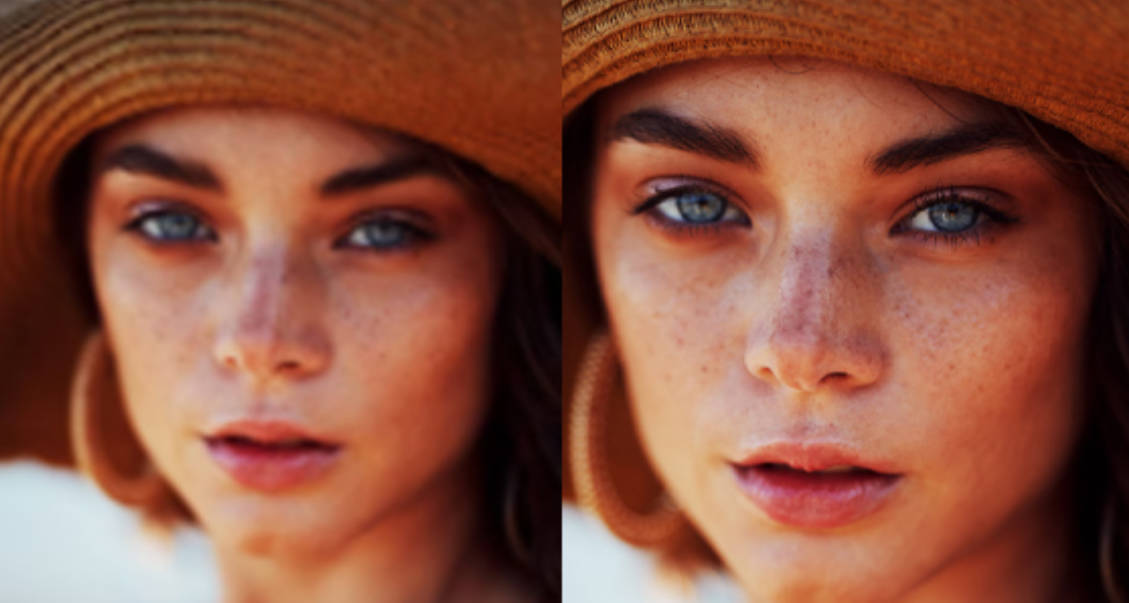
VanceAI Image Upscaler is a browser-based image upscaling solution that processes and edits images at ultra-high resolution. The web-based tool combines generative AI with classical detail recovery to produce a superior image processing experience for new and seasoned users alike. Photographers, designers, and creators can transform extremely blurry photos into high-resolution visuals while restoring previously unclear details.
Major Features
- Enlarges images to professional-grade quality, surpassing the limitations of traditional photo processing.
- Compatible with common formats — PNG, JPG, JPEG.
- Adds detail to enhance image clarity.
- Adjustable creativity level to control how much detail the AI adds.
- Three enhancement modes for different image types (Portrait, Scene and Object, Very Blur).
- Batch processing for multiple images at once.
- Comprehensive output controls (format, quality, DPI) for full creative control.
How to Upscale Images with VanceAI
Step 1: Visit the VanceAI Image Upscaler page in your browser. Click Upload Image at the top, or drag and drop your image onto the homepage.
Step 2: Make the necessary adjustments in the panel.
Step 3: Click Start to Process to run the upscale. Output is typically ready in seconds for single images; batch processing supports dozens of images in a single run on paid plans.
Frequently Asked Questions
What is image upscaling?
Upscaling an image means increasing its resolution and physical size without losing visible quality. Modern AI upscalers use deep-learning algorithms to add plausible new pixels and detail, making the upscaled image look sharper, more realistic, and printable at larger sizes.
Is Magnific AI free to use?
No. Magnific AI requires a paid subscription to access full features. A 24-hour free trial with 50 tokens lets you test the tool, but ongoing use needs the Pro ($39/month), Premium ($99/month), or Business ($299/month) plan.
How can I upscale an image without losing quality online?
Use an AI upscaler trained specifically for resolution recovery. VanceAI delivers strong results at a fraction of Magnific AI's price — credits-based pricing starts at $9.95 / 100 credits per month on the Starter plan, with PAYG and a 7-day money-back guarantee.
Magnific AI vs VanceAI AI Image Upscaler — which is better?
Both are strong upscalers. Magnific AI excels at creative generative upscaling with prompt control — best for art-style image generation. VanceAI is the better value pick for everyday photo upscaling — credits-based pricing, more flexible roll-over, stacked workflows with Restore, Denoise, and Colorize in the same workspace.
What's the maximum resolution Magnific AI supports?
Magnific AI supports up to 16x upscaling on Premium and Business plans. The free trial caps at 2K resolution.
Does Magnific AI work for old or vintage photos?
Yes, but with caveats. For pure detail enhancement, Magnific AI delivers strong results. For old photos with scratches, fading, or sepia drift, a dedicated restoration tool (such as VanceAI Photo Restorer) handles those damage types better than a pure upscaler.
Do Magnific AI credits roll over month-to-month?
No. Magnific AI credits expire monthly if unused, even if GPU resources weren't consumed. This is a frequent complaint in user reviews.
How long does Magnific AI take to process an image?
Magnific AI processing typically takes 1–3 minutes per image, depending on resolution and complexity.
Can I cancel Magnific AI anytime?
You can cancel anytime, but Magnific AI has no refund policy — pre-paid credits aren't refunded on cancellation, and any remaining unused credits expire at the end of the current billing cycle. Read the terms carefully before subscribing.
Is Magnific AI safe to upload personal photos?
Magnific AI processes uploads in the cloud. Read their privacy policy before uploading sensitive personal photos. VanceAI applies a 24-hour auto-delete policy on all uploads, which is the standard privacy posture for AI image tools.
Conclusion
Magnific AI is a genuine game-changer for photographers, digital artists, graphic designers, and content creators who want generative upscaling at the highest tier of quality. Its 8x and 16x output is impressive, and the prompt-driven control is uniquely flexible. But the high pricing, no refund policy, and inflexible credit expiration make it hard to recommend for everyday creators.
For most users, VanceAI is the stronger value pick — flexible credits-based pricing, stacked Restore + Denoise + Colorize workflows in one workspace, and consistent quality output across portraits, landscapes, and illustrations. Try the free trial first, then scale into a paid plan when your workflow demands it.