

It is natural that we are always drawn to landscapes, not only are they proof of the planet’s unending power but they also make for absolutely stunning photographs. Plus, given how you can come across landscapes rather easily, it’s beneficial to know a few landscape photography tips, regardless of whether you are a professional or not. With a few easy landscape photography tips, you can capture the most wonderful moments of whatever kind of terrain you find yourself in. In this list, you will find landscape photography tips for beginners and professionals alike. You can make use of these landscape photography tips right now and see great results. Luckily, even if you are not satisfied with the result, we also have our featured AI tools from VanceAI to help you enhance the quality of your photo and make photo hd.
Best Landscape Photography and Nature Photography Ideas
Table of contents
Best 5 Landscape Photography Tips
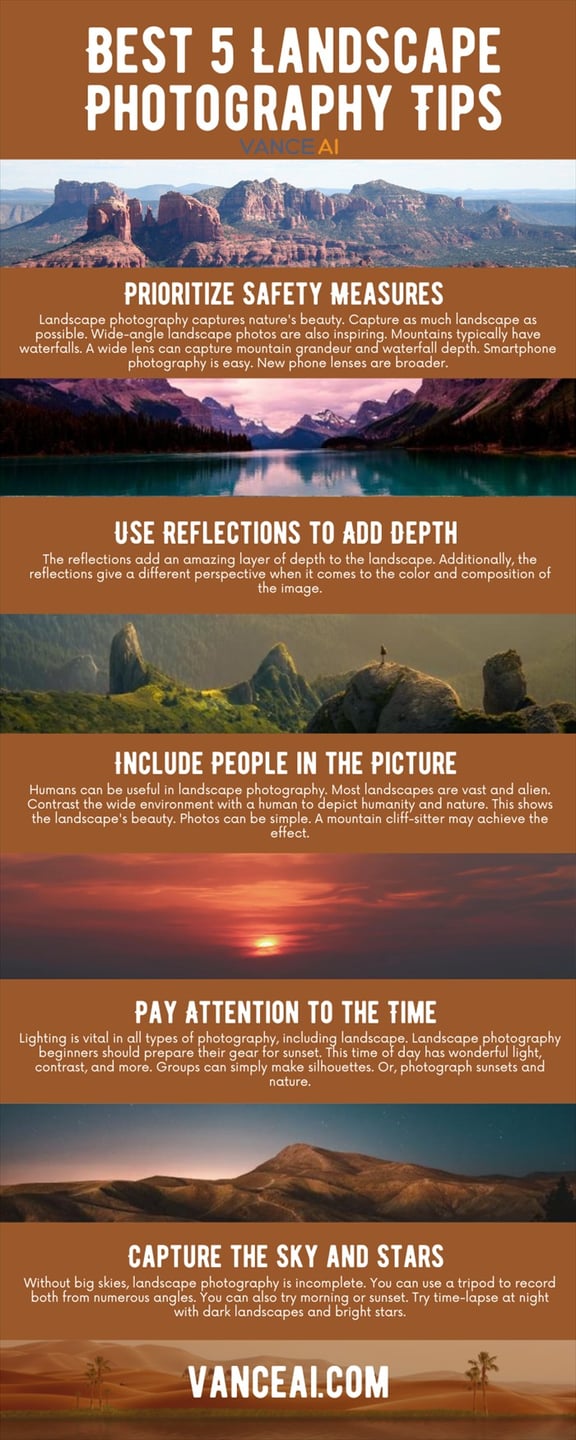
Nature Photography Idea 1: Use a Wider Lens to Capture More
What is landscape photography if not huge vistas that showcase nature in all of its beauty? It is then crucial to ensure that your shot takes in as much landscape as possible. Not to mention that wide-angle shots of landscapes also provide interesting and inspiring perspectives for the viewers. For example, many mountainous landscapes among forests usually have waterfalls too. In such cases, a wide-lens camera shot can capture the vastness of the mountains but also include waterfalls to add more depth to your picture. Not to mention that you can easily switch camera modes when using smartphones. Also, the newer smartphones constantly have upgraded wide lenses.
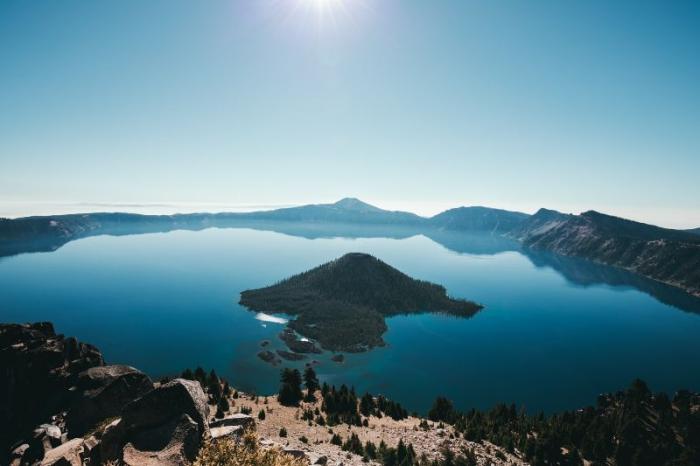
Nature Photography Idea 2: Use Reflections to Add Depth
This nature photography idea is one of the more overlooked aspects of landscape photography but if you want to know how to take landscape photos, pay attention to possible reflections such as water surfaces. This simple tip can highly elevate the mood of your landscape photography. Taking a slightly wider view and angles that include the water and landscape can make your landscape photography look like a mirror.
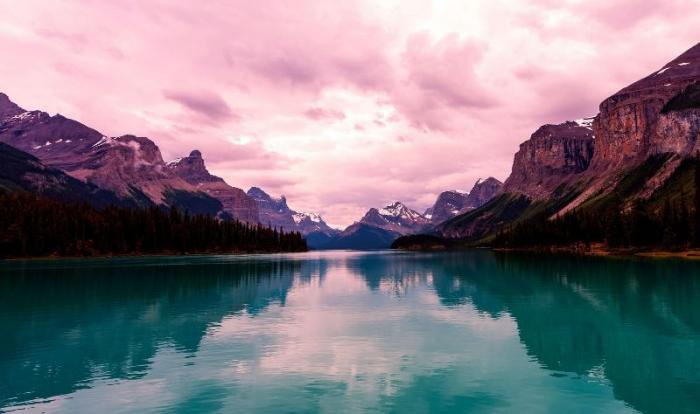
As you can see from the above image, the reflections add an amazing layer of depth to the entire landscape. Additionally, the reflections give a different perspective when it comes to the color and composition of the image.
Nature Photography Idea 3: Include People in the Picture
Even though it says landscape photography, you can definitely add people into the frame for multiple purposes. For one, we already know how gigantic and ethereal most landscapes are. With that said, you can contrast the huge landscape with a human in order to better portray the difference between us and nature. This helps the viewers place themselves and feel the beauty of the landscape. The images don’t have to be complicated either. You could simply have someone sitting near the cliff of a mountain and achieve the effect discussed.
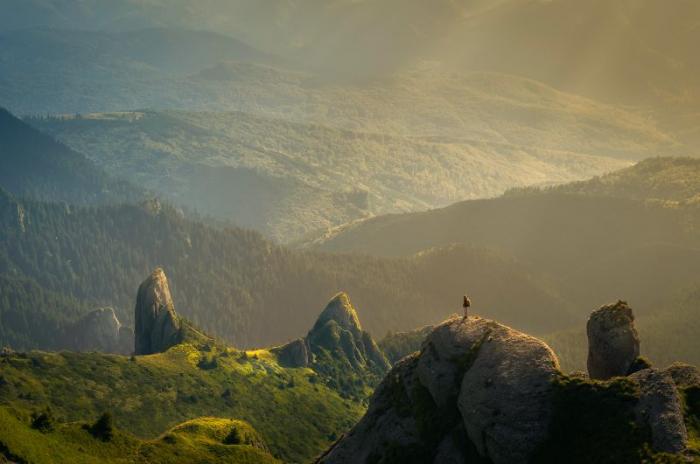
This picture perfectly portrays the contrast of the neverending lands with the size of the humans.
Nature Photography Idea 4: Pay Attention to the Time
This is an essential nature photography idea. Lighting is an aspect of photography that’s essential no matter what kind of photography you are undertaking, and surely the same applies to landscape photography as well. One of the best landscape photography tips for beginners, make sure to get your gear ready for the time near sunset. This time of the day has many advantages, such as an ideal amount of light, a great contrast, and more. If you are with a group, you can easily make a silhouette. Or, you could photograph objects and nature under the sunset.
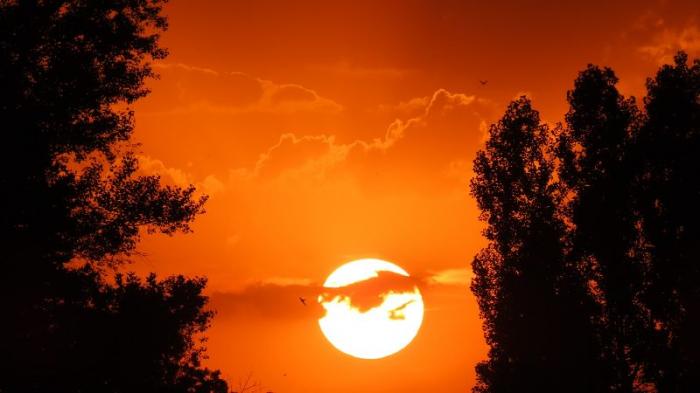
The orange light in contrast to the dark surroundings provides a stunning contrast. Moreover, there is increased clarity of the clouds wandering in the sky.
Nature Photography Idea 5: Capture the Sky and Stars
Similar to how you can easily mix landscapes and humans, you can also do the same with landscapes and skies. In fact, huge landscapes without the presence of equally grand skies make landscape photography feel incomplete. You can simply install a tripod and try out many angles that capture both. Additionally, you can experiment with different time periods, such as the break of dawn or sunset. Another one of the landscape photography tips would be to experiment with time-lapse during the night, with dark landscapes and bright stars.
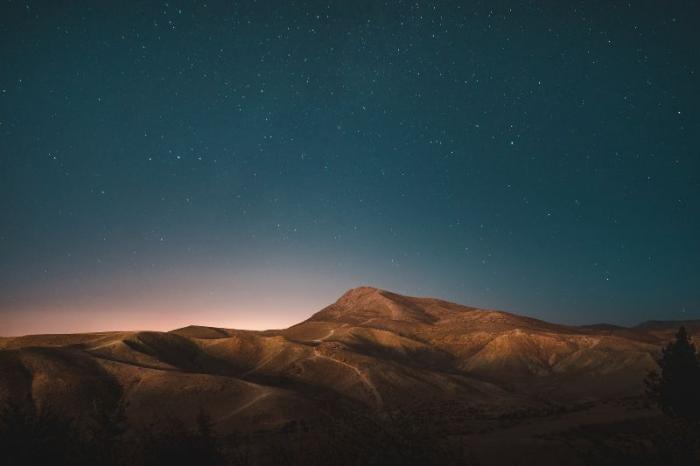
The composition is definitely an interesting one and could only be captured at a certain time. You can use an image resolution enhancer to level up your photos.
How to Use VanceAI Photo Dehaze for Landscape Photos?
A useful and easy landscape photography tip is to either avoid hazy image effects or to make use of software that can take care of unwanted haziness that often occurs in outdoor photography. VanceAI has the perfect answer for that, called Image Denoiser, which is coming soon next week. Let’s see how it would work and a sample image.
1. You can access VanceAI from the link given and choose Photo Dehaze from AI Solutions. Use the Start Now button to proceed.
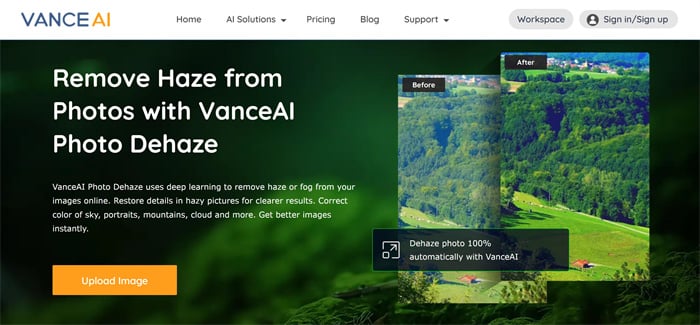
2. Use the upload box to upload an image and then click on Start to Process to start enhancing the image.

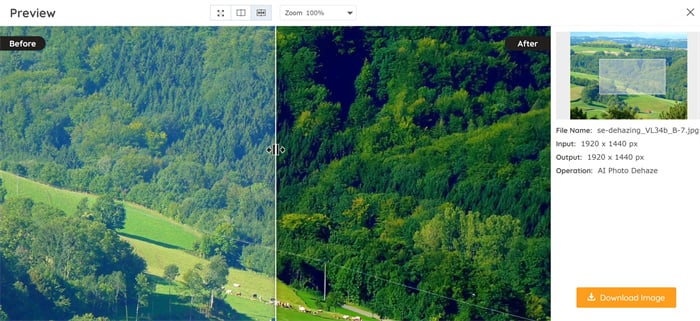
3. Go to the Processed tab, click on Preview to view the Before-After image, and click on Download Image to save the image.
Here’s an image processed by VanceAI Photo Dehaze:
How to Use VanceAI Image Enhancer for Landscape Photos?
While taking landscape photos, perhaps you also often see some low-quality ones. Sometimes you cannot recognize the details of photos. Then it means you need a photo enhancement tool like VanceAI Image Enhancer to enhance them. Here are some basic steps for you to produce high-quality results.
Step 1: You can just go to the homepage of photo enhancer and don't need to change the original size of your picture. After clicking on that link, you will easily see the picture below.

Step 2: Upload a photo to VanceAI Workspace
Having seen the picture, you need to press the button Upload Image to upload the target you want to enhance. Then you will naturally see VanceAI Enhancer Workspace below. After that, you should hit Start to Process and wait for several seconds. if you want other editing tools to perfect your landscape photos, VanceAI also has an integrated AI solution specifically for photographers.

Step 3: Preview and download the enhanced photo

As you can see from the above comparison images, the before image on the left has low quality like some details that cannot be recognized. This makes the image a bit obscure as you can’t see the richness of the details. The after image on the right, after being enhanced by image enhancer from VanceAI, has higher quality and clear details.
Conclusion
One of the most essential landscape photography tips for everyone can be experimentation, and that’s true for photography in general. These tips can be used by beginners and professionals alike and the reason behind it is that the tips are tried and tested. However, to create stunning shots and memories, you always need creativity and experimentation. Also, once you follow these landscape photography tips, it is also good practice to refine the pictures you have. You can always rely on the photo enhancing app recommended to optimize your photography photos by enhancing full details. Start today to generate ready-to-use landscape photos for any platform and then you will get the best of your images in less than 5 seconds with a 100% automatic tool related to photo enhancement.
Also read: Best 10 Ideas for Flower Photography.
Was this article helpful?

A passionate content writer. Mostly likes to write about technology and social media related topics. You can see more of my work over on my own blog Amaya Hamilton.


