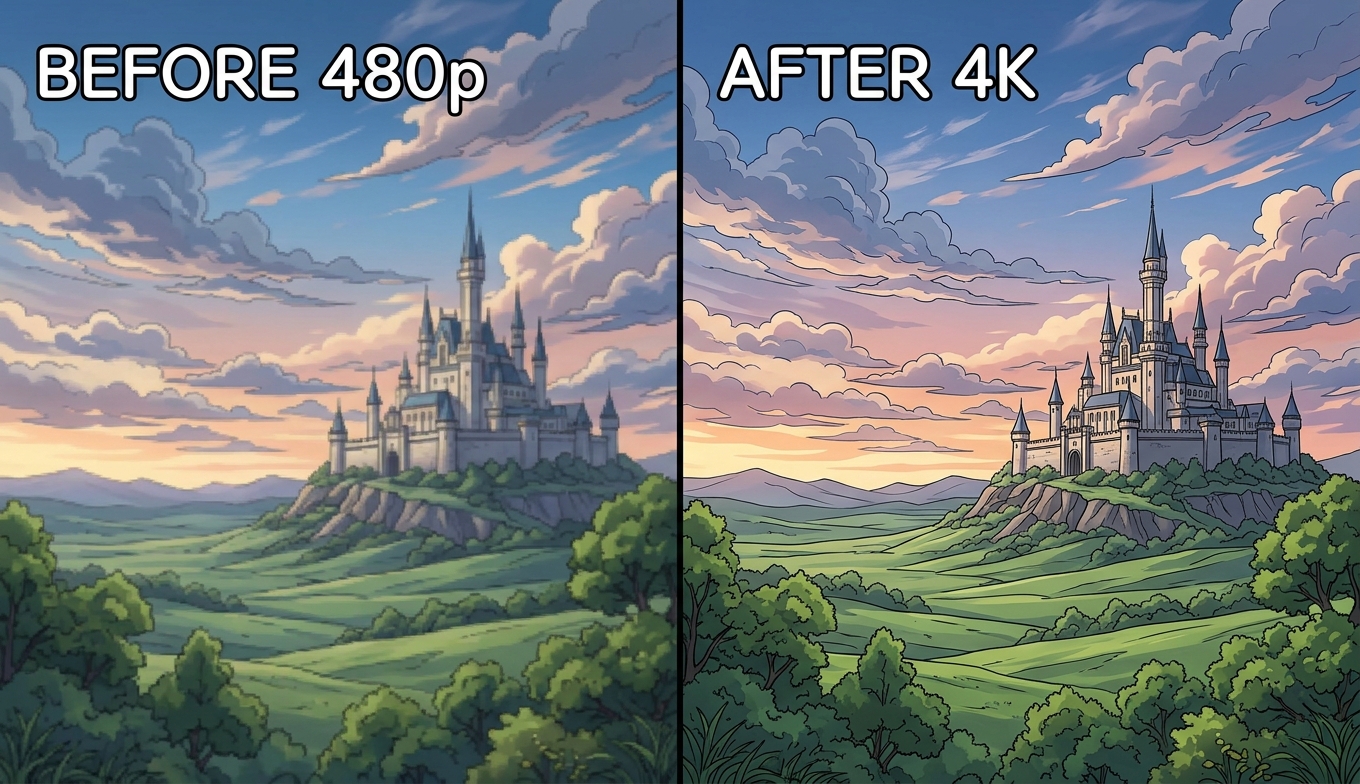
Video2X at a Glance
| Video2X (6.4) |
|---|
| Type | Free, open-source (GPL) upscaling framework |
| Interface | Qt6 GUI and command line (identical output) |
| Engines ("Filters") | Real-ESRGAN, Real-CUGAN, Anime4K v4, RIFE (frame interpolation) |
| Platforms | Windows, Linux, Docker — no native Apple Silicon (use Google Colab) |
| GPU support | Vulkan-based: NVIDIA, AMD, and Intel |
| Requirements | 4GB VRAM (1080p×2 min); RTX 30/40 with 12GB+ for comfortable 4K |
| Cost | Free — no subscription, no watermark |
| Best for | Anime/2D upscaling, privacy-conscious and technical users on a budget |
Quick verdict: Video2X 6.4 is the best free video upscaler available, especially for anime, and its new GUI makes it far more approachable than the command-line-only past. But it still asks for a capable GPU, some setup, and patience — it runs 2–3× slower than commercial tools and can't touch a Mac with Apple Silicon natively. For tinkerers it's superb; for people who want a result now, it's the wrong door.
What Video2X Is in 2026 (Version 6.4)
Video2X isn't a single app so much as an open-source framework that orchestrates established AI upscaling engines, running your footage through them frame by frame and reassembling the video. Version 6.4 (released January 2025, stable through 2026) was a major rewrite: a C++ core with a Qt6 front end replaced the older Python versions, and — crucially for newcomers — it now ships a graphical interface alongside the command line.
The 6.4 rewrite also fixed the two things that made long renders painful: in-memory frame piping streams frames through GPU memory instead of dumping tens of gigabytes to disk (a 90-minute 1080p→4K job dropped from 60+ GB of temp files to under 1 GB), and pause/resume lets an overnight queue survive a reboot. It's free, GPL-licensed, processes 100% locally, and has an active community (20,000+ GitHub stars as of mid-2026). For where upscaling fits in the bigger picture, see the video quality enhancer guide.
Video2X Engines Explained: Which to Use
In the GUI, the "Filter" dropdown is what the engine actually is — the neural network doing the upscaling. Picking the right one is where most of your result is decided:
- Real-ESRGAN — the general-purpose choice for live-action and photorealistic footage, with variants like
RealESRGAN_x4plus and an anime-tuned realesr-animevideov3.
- Real-CUGAN — specialized for 2D animation. In blind side-by-side tests it consistently beats Real-ESRGAN on anime: sharper lines, better texture retention, and preserved out-of-focus areas. It's slower, but it's the reason Video2X is the best free anime upscaler. Our Topaz anime guide explains why anime is its own upscaling problem.
- Anime4K v4 — a high-speed option that trades some fidelity for much faster renders on anime.
- RIFE — frame interpolation only (24 fps → 48/60), used alongside an upscaler rather than instead of one.
The cheat sheet: Real-CUGAN for anime, Real-ESRGAN for live action, Anime4K when speed beats the last bit of quality.
GUI vs Command Line
Video2X 6.4 gives you both, and the output is identical because the GUI passes the same flags to the same engine binaries as the CLI. The Qt6 GUI exposes models, scale factors, threads, and output codecs as dropdowns and sliders — use it for single clips and batch queues. The CLI is for scripting, automation, and headless server processing (via Docker). Most users should start with the GUI; the days of Video2X being command-line-only are over.
Video2X is Vulkan-based, so it runs across NVIDIA, AMD, and Intel GPUs — a genuine advantage over vendor-locked tools. It's available as a Windows installer, Linux packages (AUR/AppImage), and Docker for headless servers. The notable gap: there's no native Apple Silicon build, so Mac users are pushed to Google Colab's free GPU sessions or a commercial alternative.
On hardware, the floor is a Vulkan-capable GPU with about 4GB of VRAM for 1080p at 2×; comfortable 4K work really wants an RTX 30/40-series card with 12GB+ of VRAM. To install: download from the official k4yt3x/video2x GitHub project, run the installer (Windows needs the Vulkan runtime, which requires admin rights), let it pull the model weights (~1.2 GB) on first launch, then configure engine, scale, denoise, and thread count before adding a file.
Best Video2X Settings
A few settings decide whether your render is fast, good, or a waste of an afternoon:
- Engine (Filter): Real-CUGAN for anime, Real-ESRGAN for live action (see cheat sheet above).
- Scale factor: 2× is the safe default. 4× quadruples render time and rarely looks twice as good — reserve it for genuinely tiny sources.
- Thread count: match it to your VRAM with the rule (VRAM in GB) ÷ 6, rounded down. Too many threads for your card causes out-of-memory errors; too few wastes the GPU.
- Denoise level: keep it moderate on clean anime; heavy denoise flattens flat-color areas.
Hands-On: Speed and Results
This is the honest catch. Local, high-quality upscaling is slow, and Video2X is no exception: a 22-minute anime episode at 480p→2× with Real-CUGAN takes roughly 45 minutes on an RTX 4070, and it runs about 2–3× slower than commercial tools on comparable work. On a weaker GPU, multiply that. There's also no real-time before/after preview, so you commit to a render and judge the result afterward — a meaningful workflow difference from tools that preview first.
On quality, results are excellent where it's meant to shine — Real-CUGAN on anime produces clean, sharp line art that free alternatives can't match. On already-clean modern footage and fast camera motion, gains are smaller, and one structural limit is worth naming: Video2X does pixel upscaling only. It raises resolution and cleans some artifacts, but it can't do generative work like SDR-to-HDR conversion, so it's a pure upscaler, not an all-in-one enhancer.
What Video2X Is Best For
Video2X excels on stylized, lower-resolution sources where a bit of AI "hallucination" is welcome: classic anime, restored sitcoms, DVD captures, and retro game footage. It's also ideal for privacy-conscious users who reject cloud APIs (everything stays local) and hobbyists who enjoy the configuration. It's the wrong tool for Mac users on Apple Silicon, professionals with large volumes of footage on deadlines, and anyone whose time is worth more than the setup and render hours.
Pros and Cons
Pros
- Free and open-source (GPL) — no subscription, no watermark, no account
- Best free anime upscaling, thanks to Real-CUGAN
- Vulkan support across NVIDIA, AMD, and Intel GPUs
- 100% local processing — footage never leaves your machine (a privacy win)
- v6.4 GUI, in-memory piping, and pause/resume make it far more usable than before
Cons
- Still needs a capable GPU and some setup (Vulkan runtime, thread config)
- 2–3× slower than commercial tools; long jobs take hours
- No native Apple Silicon build — Mac users need Colab or an alternative
- No real-time before/after preview
- Pixel upscaling only — no SDR-to-HDR or other generative enhancement
The Easier Alternative: VanceAI Video Upscaler
If you want the result without the setup, the GPU, or the wait, VanceAI Video Upscaler is the opposite trade: it runs in your browser, needs no installation or configuration, and processes on VanceAI's servers — so any laptop, including an Apple Silicon Mac, works, and nothing ties up your machine for hours.
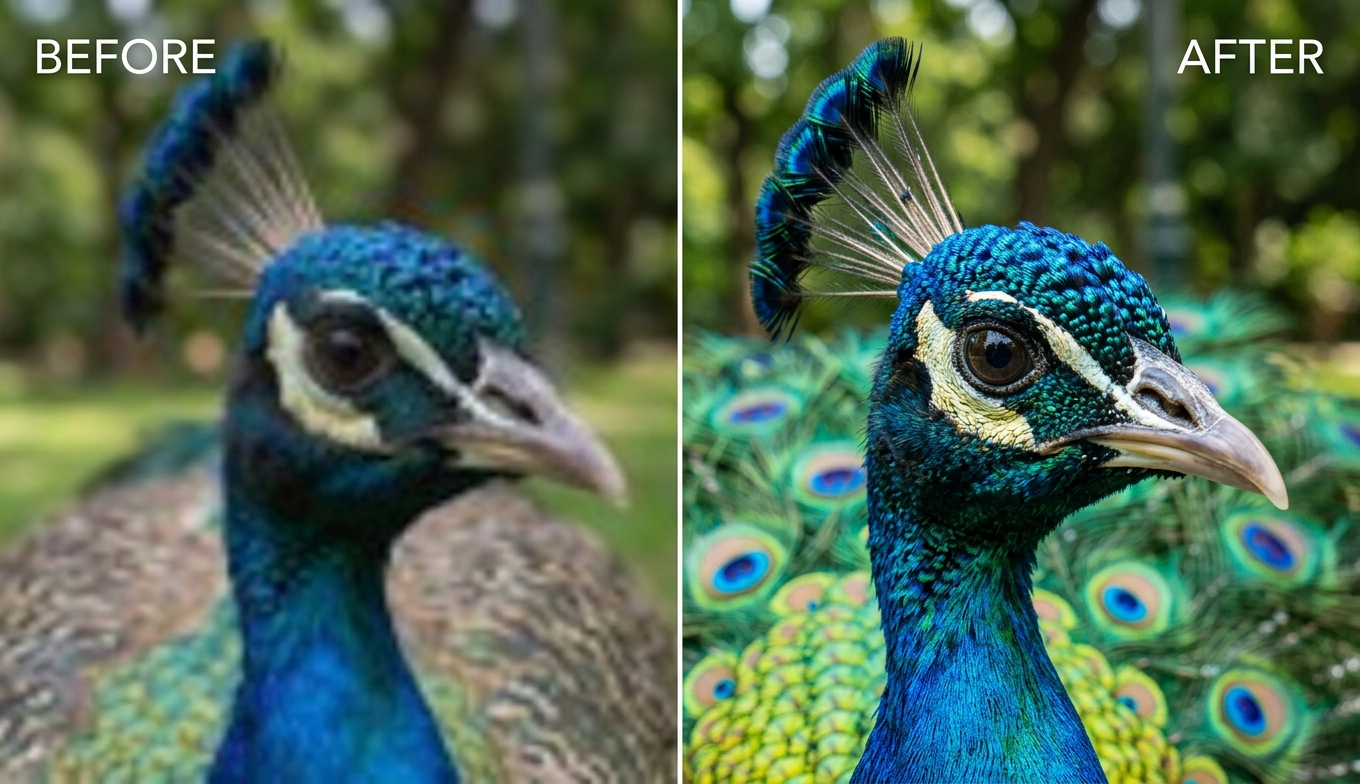
Where Video2X asks you to choose an engine, install a runtime, set thread counts, and wait, VanceAI keeps it to two models and a fast preview:
- Nexa — the general-purpose engine, outputting 720p, 1080p, 1440p, and 4K with a 1×, 2×, or 4× scale.
- Cineva — the cinema-focused model for standard-definition sources up to 1024×540 input, applying a fixed 4× upscale — a strong pick for old or low-resolution footage, including SD anime.
It accepts MP4 and MOV files up to 10GB and 4K input, returns an MP4 that stays available for three days, and lets you spend a single credit on a five-second preview — the before-you-commit check Video2X lacks. Pricing is credit-based, not a subscription: new users get free trial credits with no credit card, and you pay only for what you process. It isn't free-forever the way open-source is, but it trades a little money for a lot of time and setup. The how to upscale video guide has the steps.
Video2X vs VanceAI: Side by Side
| Dimension | VanceAI Video Upscaler ⭐ | Video2X (6.4) |
|---|
| Cost | Credit-based, free trial | Free, open-source |
| Setup | None — runs in the browser | Installer + Vulkan runtime + thread config |
| Hardware | None (runs in the cloud) | Capable GPU; 12GB+ VRAM for 4K |
| Mac (Apple Silicon) | Works in the browser | No native build (needs Colab) |
| Preview | Clean 5-second, 1 credit | None — render then judge |
| Speed | Server-side, machine free | ~45 min for a 22-min anime clip (RTX 4070) |
| Anime | Cineva model | Real-CUGAN (best free) |
| Best for | Fast results, no setup | Free, local, technical, anime |
For a wider comparison of paid and free tools, the Topaz Video AI alternative roundup lays out the field.
Who Should Use Which
Choose Video2X if you're comfortable with setup, you have a capable Vulkan GPU (NVIDIA, AMD, or Intel), you want zero cost and fully local processing, and you especially value the best free anime upscaling — and you're not on an Apple Silicon Mac.
Choose VanceAI Video Upscaler if you want a clip upscaled without installing or configuring anything, you don't have a strong GPU (or you're on a Mac), you want a preview before you commit, and you'd rather spend a few credits than an afternoon.
Frequently Asked Questions
Is Video2X free?
Yes — Video2X is free and open-source under the GPL, with no subscription, watermark, or account. The cost is your time and hardware: you install and configure it, and your own GPU does the processing. If you'd rather skip setup, VanceAI Video Upscaler is free to start with trial credits and runs in the browser.
Does Video2X have a GUI now?
Yes. As of version 6.4, Video2X ships a Qt6 graphical interface alongside the command line, and both produce identical output because the GUI passes the same flags to the same engines. It's far more approachable than the command-line-only past, though you still install a Vulkan runtime and configure engines and settings.
What is the best Video2X engine for anime?
Real-CUGAN. In blind tests it beats Real-ESRGAN on anime with sharper lines, better texture retention, and preserved out-of-focus areas — it's slower but clearly better on stylized 2D content. Use Real-ESRGAN for live action and Anime4K when speed matters more than fidelity.
What are the best Video2X settings?
Use Real-CUGAN for anime or Real-ESRGAN for live action, keep the scale factor at 2× (4× quadruples render time for little gain), set the thread count to your VRAM in GB divided by 6 rounded down, and keep denoise moderate. Too many threads for your card causes out-of-memory errors.
Does Video2X work on Mac?
Not natively on Apple Silicon — as of 2026 there's no native build, so Mac users rely on Google Colab's free GPU sessions or a commercial alternative. VanceAI runs in the browser on any Mac with no install, the simplest route for Apple Silicon users.
What GPU do I need for Video2X?
It's Vulkan-based, so it works on NVIDIA, AMD, and Intel GPUs. The floor is roughly 4GB of VRAM for 1080p at 2×, but comfortable 4K work wants an RTX 30/40-series card with 12GB or more. Weaker GPUs mean much slower renders. A cloud tool like VanceAI avoids the GPU question entirely.
How slow is Video2X?
Expect roughly 2–3× slower than commercial tools — a 22-minute 480p anime at 2× with Real-CUGAN takes about 45 minutes on an RTX 4070, and longer on weaker hardware. VanceAI offloads processing to servers, so your machine stays free and there's no overnight render to babysit.
Can Video2X upscale to 4K or 8K?
Video2X can upscale to 4K effectively; 8K is technically possible but rarely worth it given the file sizes and minimal quality gain from a low-resolution source. VanceAI targets up to 4K as well, without any configuration on your part.
Is Video2X safe?
As widely used, open-source software with transparent code, Video2X is safe when downloaded from the official k4yt3x/video2x GitHub project — avoid unofficial mirrors. Because it processes locally, nothing is uploaded, a privacy plus, though it means your machine does all the work.
Can Video2X increase frame rate?
Yes, via its RIFE filter, which interpolates frames (for example 24 fps to 48 or 60). RIFE is separate from upscaling — you can pair it with an upscaling engine to both raise resolution and smooth motion, though it adds render time.
Does Video2X add new detail like SDR to HDR?
No. Video2X does pixel upscaling only — it raises resolution and cleans some artifacts but can't perform generative enhancements like SDR-to-HDR conversion. For that kind of work you'd need a different, dedicated tool.
Why is Video2X giving out-of-memory errors?
Almost always too many threads for your GPU's VRAM. Lower the thread count using the (VRAM in GB) ÷ 6 rule, or reduce the scale factor. The 6.4 rewrite's in-memory piping also reduced overhead significantly, so make sure you're on the latest version.
What's the best alternative to Video2X?
For people who want results without setup, VanceAI Video Upscaler is the easiest — browser-based, no install, no GPU, and free to try with a clean preview. For those who want another free local route, other open-source upscalers exist but share the same setup-and-GPU requirements.
For free anime upscaling, Video2X's Real-CUGAN is hard to beat on value. But paid and cloud tools win on speed, convenience, live preview, and Mac support. If your priority is zero cost and you enjoy configuration, Video2X wins; if it's speed and simplicity, a tool like VanceAI does.
The Verdict
Video2X 6.4 is a genuinely impressive free tool, and the 2026 rewrite — a real GUI, in-memory piping, pause/resume — makes it more usable than ever. For a technically comfortable user with a capable GPU, especially one upscaling anime with Real-CUGAN, it's hard to beat on value. But "free" still means paying in setup, render time, and a hard stop at Apple Silicon. VanceAI Video Upscaler makes the opposite trade: browser-based, no install, no GPU, works on any Mac, and free trial credits to start — the result without the project. If your time is worth more than the setup, start there.